Array Flatten in JavaScript
Mastering the Spread: A Beginner’s Guide to Simplifying Nested Structures with Array Flattening and Recursion
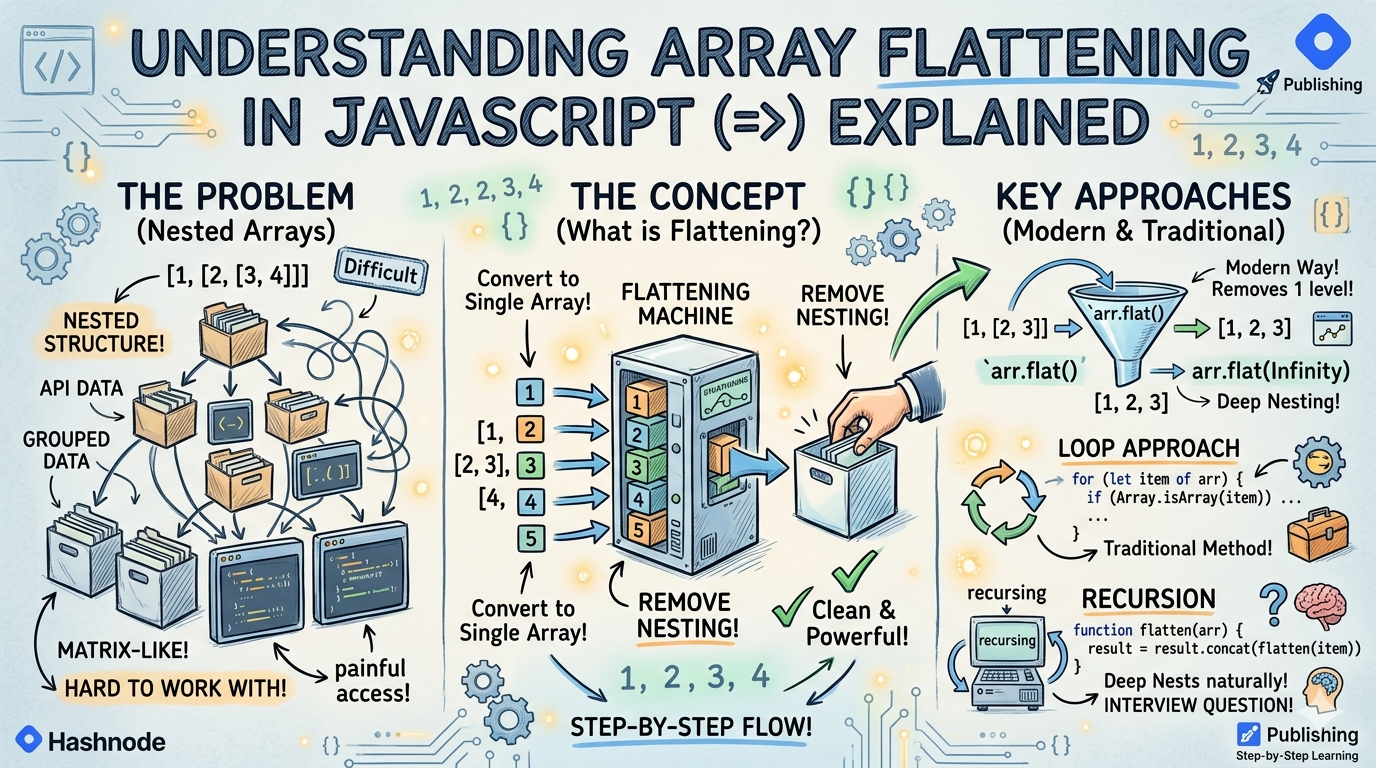
Arrays are one of the most important data structures in JavaScript. While working on real-world applications, we often deal with nested arrays, grouped data , API responses , matrix-like structures
Sometimes these arrays become deeply nested, making data difficult to work with. To solve this problem, JavaScript provides the concept of Array Flattening.
What nested arrays are
A nested array means an array inside another array. For example :
const arr = [1, 2, [3, 4]];
Here , the array [3, 4] exists inside another array. That is called a nested array.
Single Level Nested Array
[1, 2, [3, 4]]
Multi-Level Nested Array
[1, [2, [3, [4]]]]
Why flattening arrays is useful
Working with nested arrays directly can be painful. So to make it easier Array flattening is useful. For example :
const arr = [1, [2, 3], [4, 5]];
If we want all values in a single list , nested structure becomes inconvenient.
Flattening arrays is useful in Real-World Situations such as API data processing, frontend data rendering, filtering/searching, data analytics and many more fields.
Concept of flattening arrays
What Does Flattening Mean?
Flattening means Converting nested arrays into a single array. For example:
Before Flattening :
[1, [2, 3], [4, 5]]
After Flattening:
[1, 2, 3, 4, 5]
After flattening of array the nested structure gets removed.
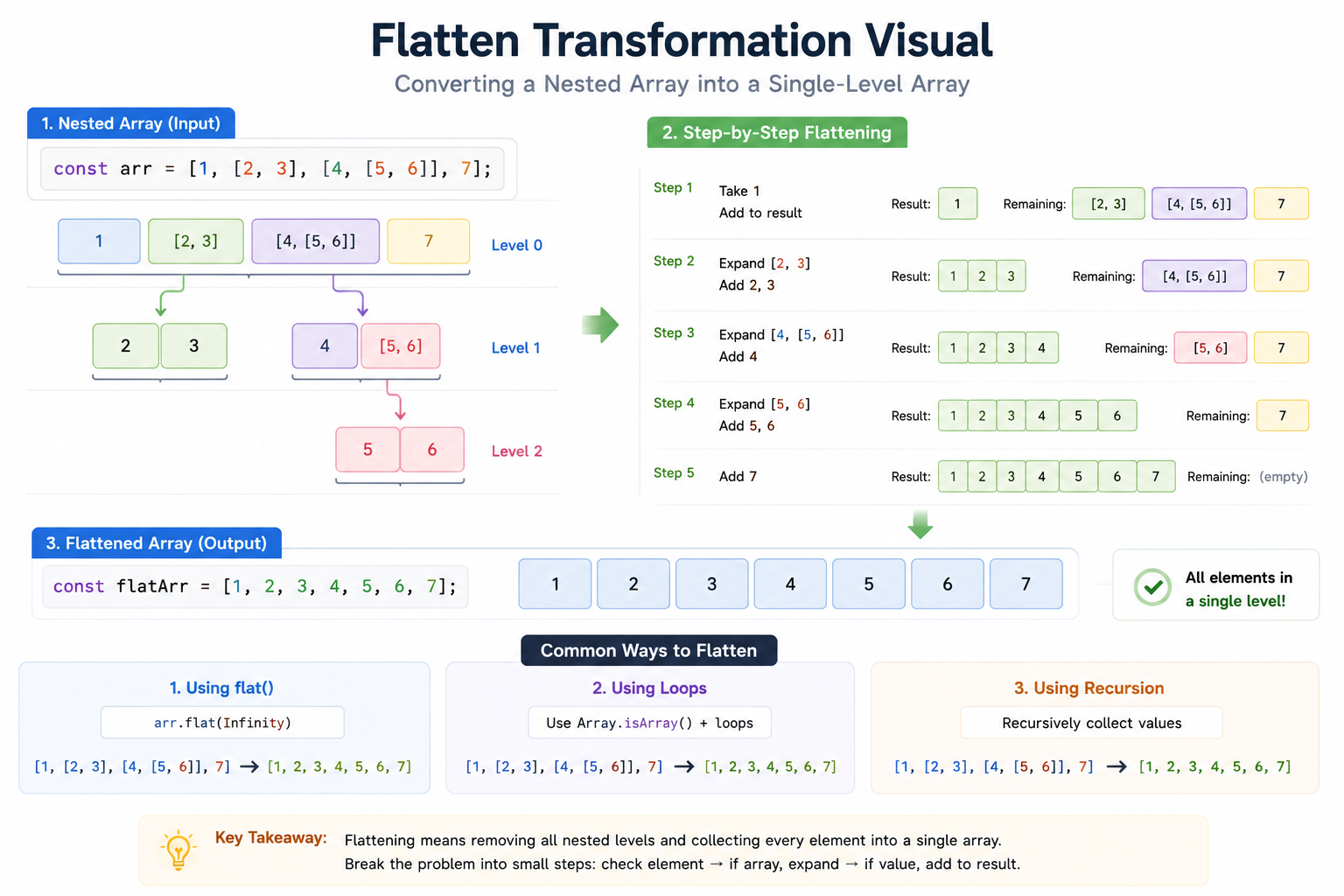
Understanding Flattening Step by Step:
Let's understand by an example:
const arr = [1, [2, 3], [4, 5]];
Step 1
Take out the first value 1 and add to a new array.
Step 2
Now encounter , the nested array or inner array and take it's element individually 2 3 and push them to new array.
Step 3
Now repeat the above process to another nested array and add individual values to a new array . This complete process is called Flattening the array.
Different approaches to flatten arrays
The different approaches to flatten the arrays are :
1. Using flat()
This is the easiest and modern approach to flattening the array. For example:
const arr = [1, [2, 3], [4, 5]];

const result = arr.flat();

console.log(result); // OUTPUT : [1, 2, 3, 4, 5]
By default flat() removes one level of nesting. To flatten completely use arr.flat(Infinity) . This removes all nested levels and make the a new array.
2. Using Loops
Before flat() existed, developers used loops to flatten the array. for eg:
const arr = [1, [2, 3], [4, 5]];

const result = [];

for (let item of arr) {
  if (Array.isArray(item)) {
    result.push(...item);
  } else {
    result.push(item);
  }
}

console.log(result); // OUTPUT : [1, 2, 3, 4, 5]
3. Using Recursion
Recursion is commonly used for deeply nested array to flatten the arrays. for eg:
function flatten(arr) {
  let result = [];

  for (let item of arr) {
    if (Array.isArray(item)) {
      result = result.concat(flatten(item));
    } else {
      result.push(item);
    }
  }

  return result;
}

console.log(flatten([1, [2, [3, 4]]])); //output : [1, 2, 3, 4]
Recursion works very well because Nested arrays themselves contain arrays, so the same logic repeats naturally. And most important this method is commonly asked in interview question.
Wrapping Up 📌
Thanks for reading till the end 🙌
I hope this article helped you understand the topic in a simple, practical, and beginner-friendly way.
My goal is to break down complex tech concepts into clear, real-world explanations, especially for learners who are just starting out or feeling overwhelmed.
If you found this useful, feel free to bookmark, share, or leave a comment - it really helps and keeps me motivated to write more.
You can connect with me here:
💼 LinkedIn
Let’s learn together and grow step by step 🚀


