Array Methods You Must Know
Beyond the Basics: Master the Methods to Add, Remove, and Transform Data Like a Pro

Introduction
Arrays are one of the most commonly used data structures in JavaScript. Once you know how to create and access arrays, the next important step is learning array methods.
Array methods help us modify, transform and work with array data easily without writing a lot of manual code.
In this article, we will learn some essential array methods:
push()andpop()shift ()andunshift()map()filter()reduce ()forEach()
Push () and Pop()
These methods are used to add or remove elements from end of an array.
push()
push() adds a new element at the end of of the array.
Example:
let fruits = ["Apple", "Banana"];

fruits.push("Mango");

console.log(fruits);
Output:
["Apple", "Banana", "Mango"]
pop()
pop() removes the last element from an array.
Example:
let fruits = ["Apple", "Banana", "Mango"];

fruits.pop();

console.log(fruits);
Output:
["Apple", "Banana"]
Shift() and unshift()
These methods work with the beginning of the array.
shift() removes the first element from an array.
Example:
let fruits = ["Apple", "Banana", "Mango"];

fruits.shift();

console.log(fruits);
Output:
["Banana", "Mango"]
unshift()
unshift() adds an element to the beginning of the array.
Example:
let fruits = ["Banana", "Mango"];

fruits.unshift("Apple");

console.log(fruits);
Output:
["Apple", "Banana", "Mango"]
map()
map() creates a new array by transforming each element of the original array. Lets understand by taking an example to calculate squares of numbers.
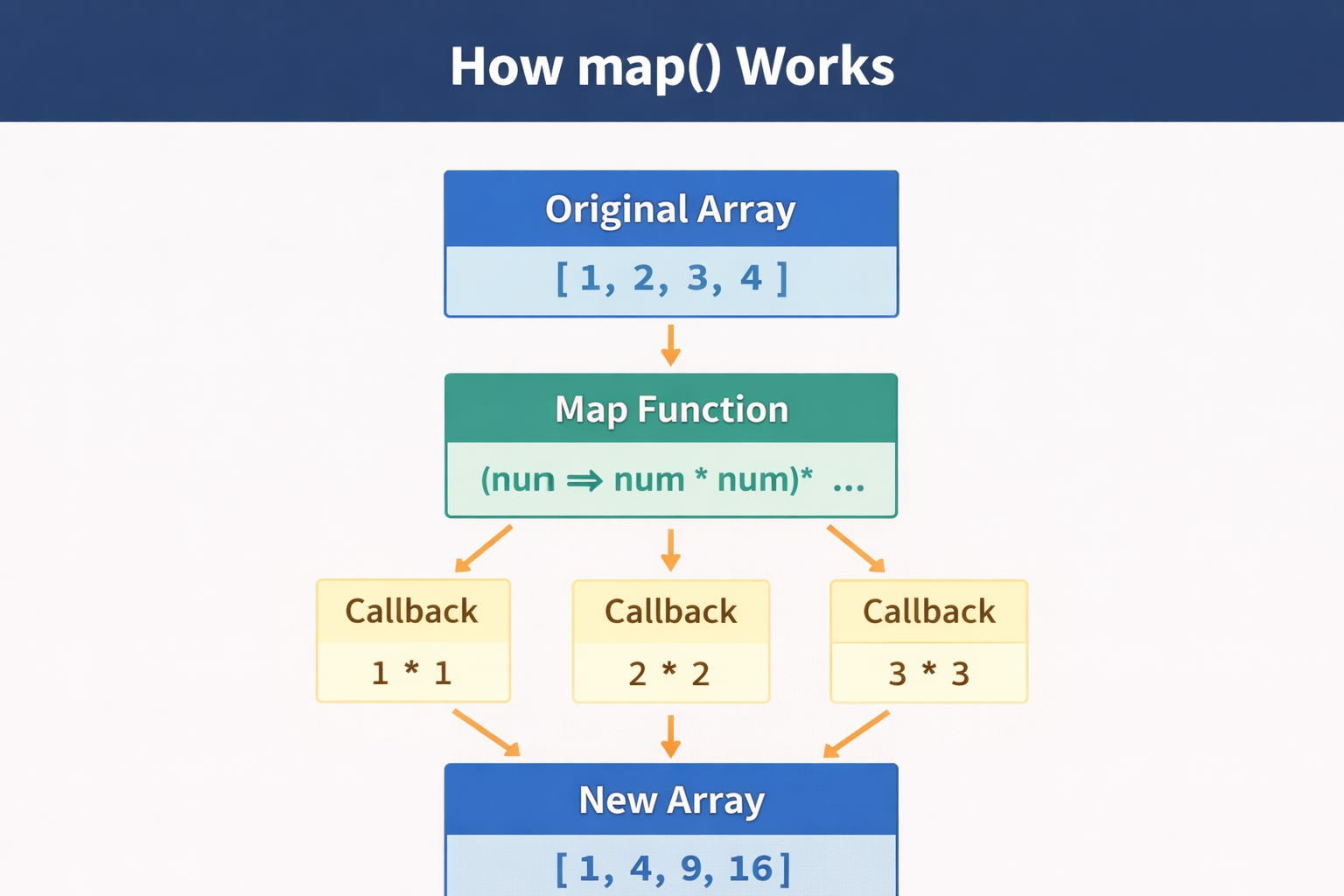
Example:
let numbers = [1, 2, 3, 4];

let squares = numbers.map(num => num * num);

console.log(squares);
Output:
[1, 4, 9, 16]
Original Array :
[1, 2, 3, 4]
New Array:
[1, 4, 9, 16]
Note : map() does not modify the original array
filter ()
filter() creates a new array containing only elements that match a condition. Let's understand by an example to find even numbers.
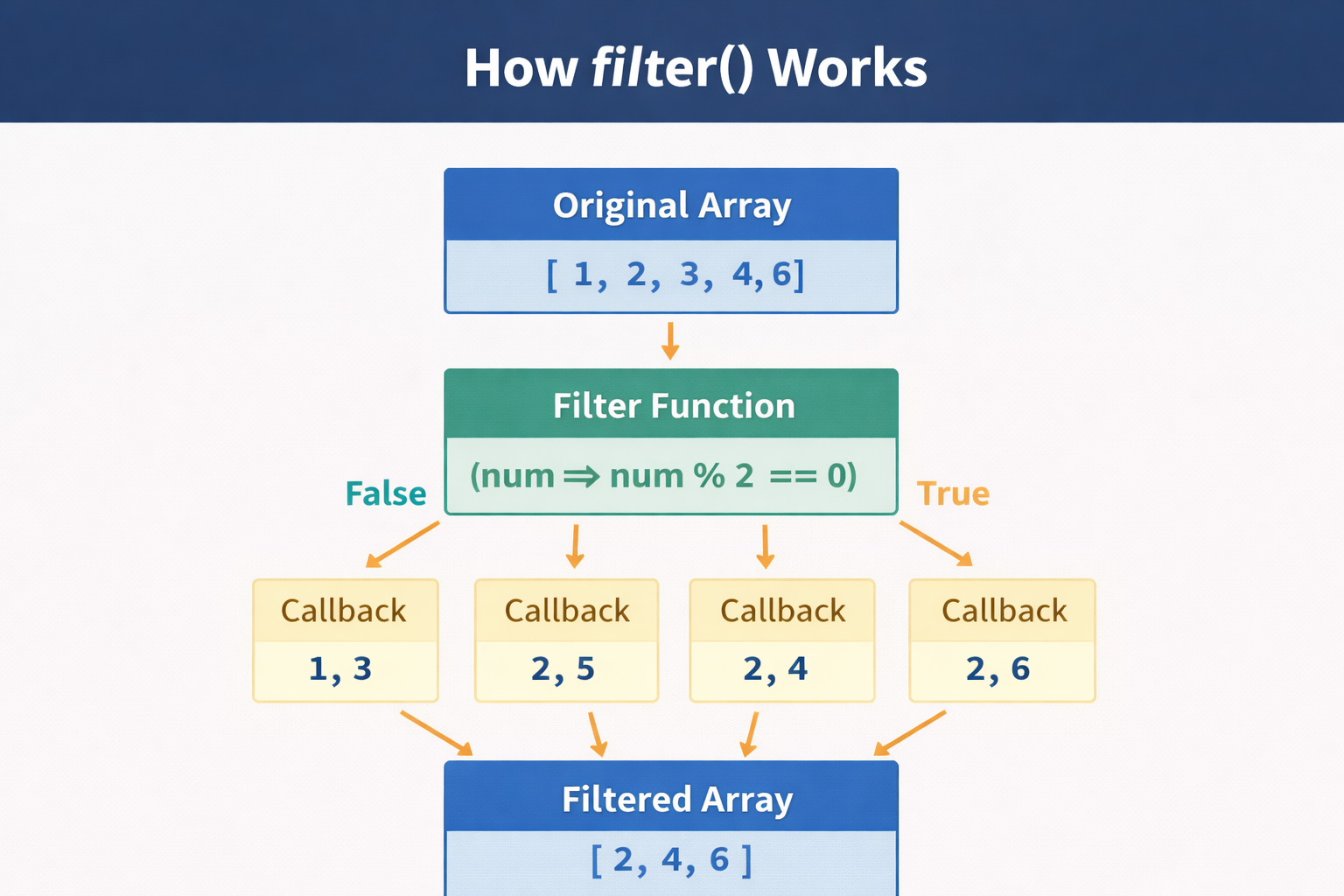
Example:
let numbers = [1, 2, 3, 4, 5, 6];

let evenNumbers = numbers.filter(num => num % 2 === 0);

console.log(evenNumbers);
Output:
[2, 4, 6]
Original Array :
[1, 2, 3, 4, 5, 6]
Filtered Array :
[2, 4, 6]
filter() is very useful when working with data sets or lists.
reduce ()
reduce() is used to combine all elements of an array into a single value.
Example: Sum of array numbers.
let numbers = [1, 2, 3, 4];

let total = numbers.reduce((acc, num) => acc + num, 0);

console.log(total);
Output:
10
Explanation :
accis accumulator (stores running result)numis the current value
ForEach()
forEach() is used to loop through each element in an array. It is commonly used when we want to perform an action for each element.
Example :
let numbers = [1, 2, 3];

numbers.forEach(num => {
  console.log(num);
});
Output:
1
2
3
Wrapping Up 📌
Thanks for reading till the end 🙌
I hope this article helped you understand the topic in a simple, practical, and beginner-friendly way.
My goal is to break down complex tech concepts into clear, real-world explanations, especially for learners who are just starting out or feeling overwhelmed.
If you found this useful, feel free to bookmark, share, or leave a comment - it really helps and keeps me motivated to write more.
You can connect with me here:
💼 LinkedIn
Let’s learn together and grow step by step 🚀


