Arrow Functions in JavaScript: A simpler Way to Write Functions
Modern JavaScript Mastery: A Beginner’s Guide to Concise Syntax and Arrow Functions

Introduction
In modern JavaScript, developers often prefer a shorter and cleaner way to write functions. This is where arrow functions come in.
Arrow functions were introduced in ES6 (ECMAScript 2015) and provide a more concise syntax for writing functions.
In this article, we will learn:
What arrow functions are
Basic arrow function syntax
Arrow functions with one parameter
Arrow functions with multiple parameters
Implicit return vs explicit return
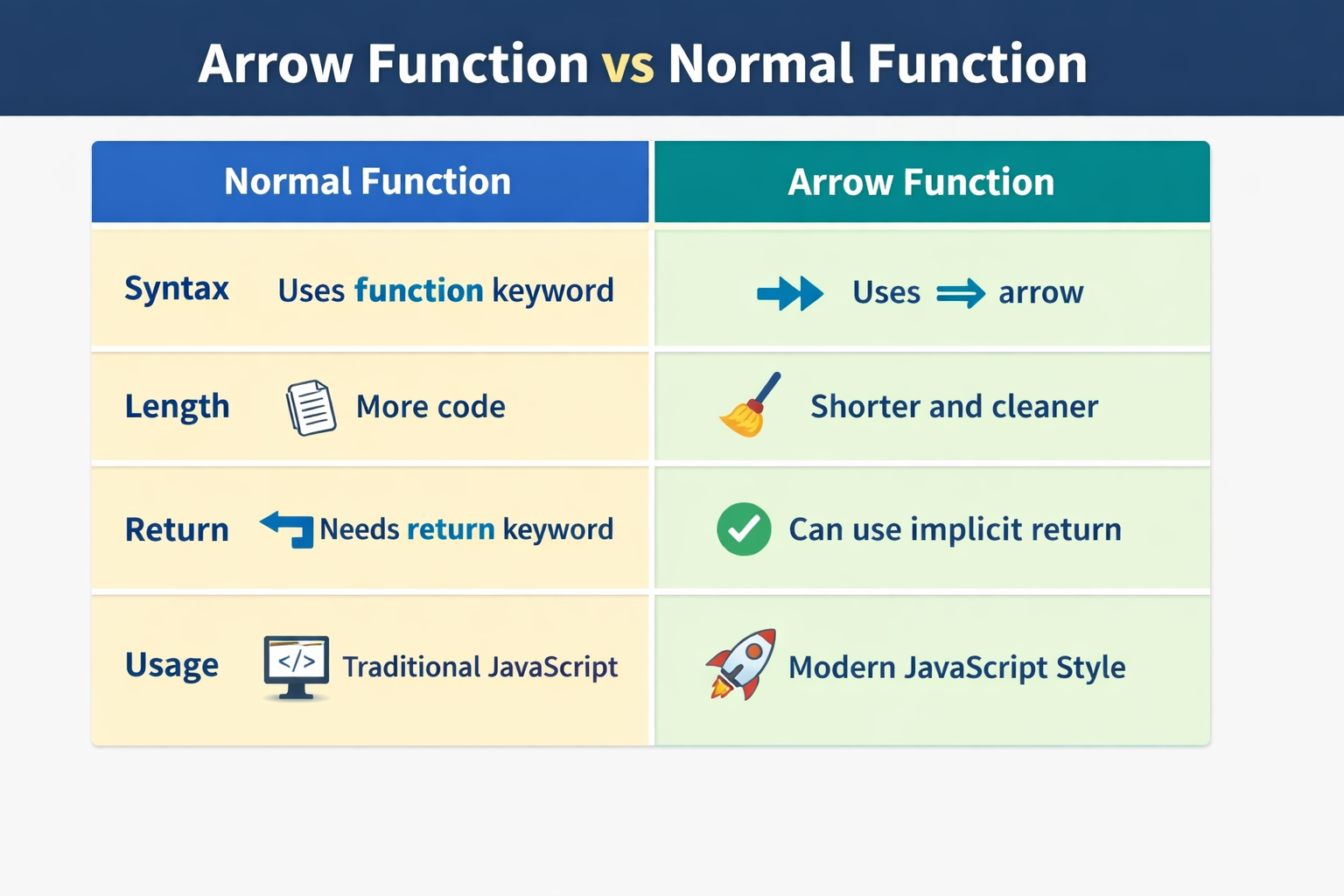
Basic difference between arrow functions and normal functions
What arrow functions are
An arrow function is a shorter way to write functions in JavaScript. It uses the arrow symbol => .The main idea behind arrow function is to reduce boilerplate code and make functions easier to read.
Example :
Normal Function
function add(a, b) {
  return a + b;
}
Same function with Arrow Function
const add = (a, b) => {
  return a + b;
};
Both functions does the same thing, but the arrow function uses shorter syntax.
Basic arrow function syntax
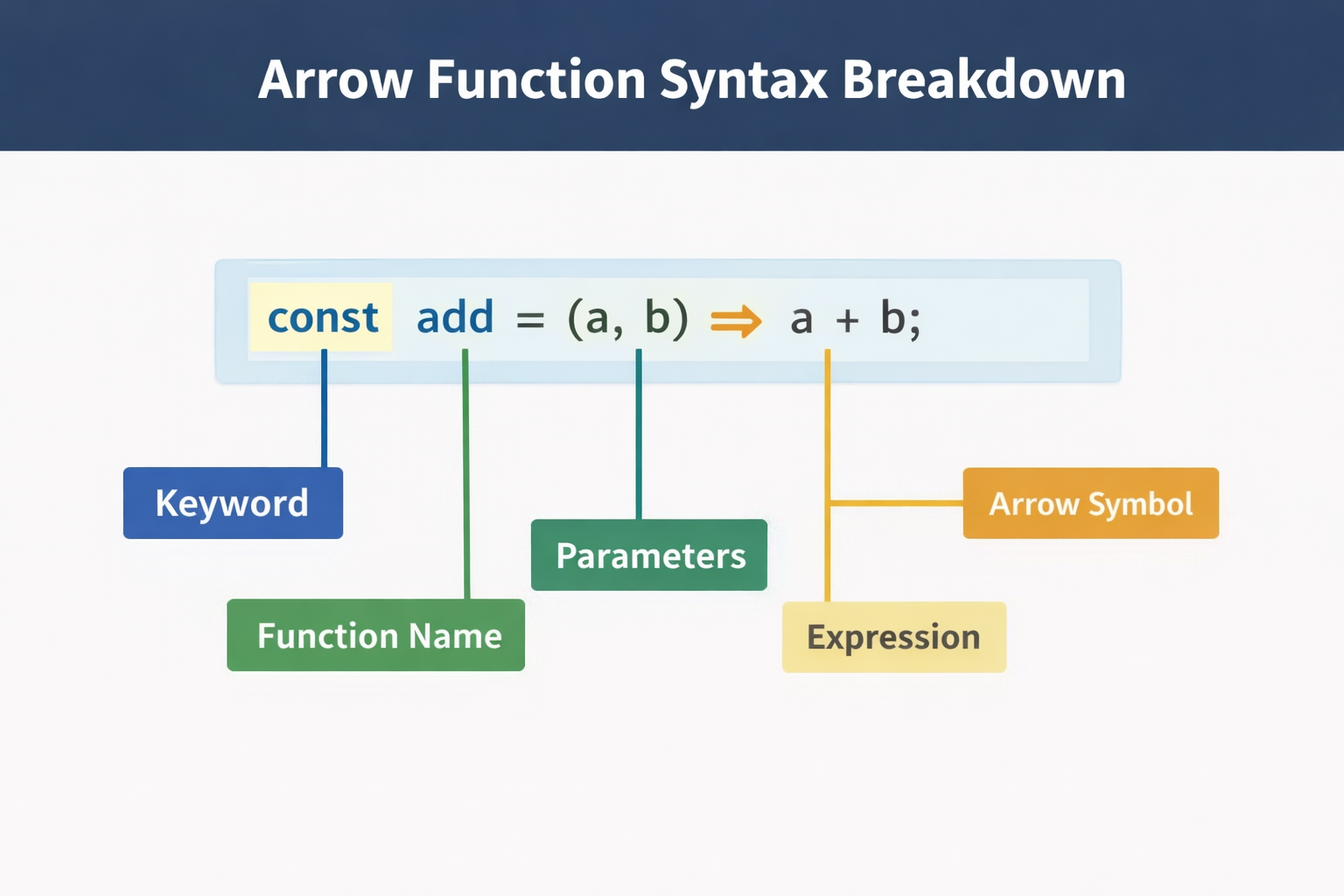
The general syntax of an arrow function is :
const functionName = (parameters) => {
  // code
};
Example :
const greet = () => {
  console.log("Hello, welcome!");
};

greet();
Output :
Hello, welcome!
Explanation:
=>represents the arrow functiongreetstores the function inside a variable
Arrow functions with one parameter
If an Arrow function has only one parameter, parentheses are optional. For example :
Normal Function:
function square(num) {
  return num * num;
}  // output : 25
Arrow function :
const square = num => {
  return num * num;
};

console.log(square(5)); // output : 25
Arrow functions with multiple parameters
When an Arrow function has multiple parameters, parentheses are not optional, it is required.
Example :
const multiply = (a, b) => {
  return a * b;
};

console.log(multiply(4, 3));
Output :
12
Implicit return vs explicit return
An Arrow Function support two ways to return values:
Explicit return
Implicit return
Explicit Return
This is the normal way using the return keyword.
Example :
const add = (a, b) => {
  return a + b;
};

console.log(add(3, 4)); //output : 7
Implicit Return
When the function has only one expression, we can remove the curly brace{} and return keyword. This way it helps the code shorter and cleaner.
Example :
const add = (a, b) => a + b;

console.log(add(3, 4));  //output : 7

const greet = name => "Hello " + name;

console.log(greet("Rahul")); //output: Hello Rahul
Converting Normal Functions to Arrow Functions
Normal Function :
function greet(name) {
  return "Hello " + name;
}
Arrow Function :
const greet = name => "Hello " + name;
Basic difference between arrow function and normal function
Wrapping Up 🍉
Thanks for reading till the end 🙌
I hope this article helped you understand the topic in a simple, practical, and beginner-friendly way.
My goal is to break down complex tech concepts into clear, real-world explanations, especially for learners who are just starting out or feeling overwhelmed.
If you found this useful, feel free to bookmark, share, or leave a comment - it really helps and keeps me motivated to write more.
You can connect with me here:
💼 LinkedIn
Let’s learn together and grow step by step 🚀


