Control Flow in JavaScript: If, Else and Switch Explained
If, Else, and Switch: Master the Logic and Direction of Your Program’s Execution

What control flow means in programming
Control flow means the order in which the program executes instructions. Normally, JavaScript runs code line by line from top to bottom. But sometimes we want the program to make decisions.
Example :
If the user is loggedIn --> show dashboard
Otherwise --> Signup page
Control flow statements helps us control the direction of execution.
The if statement
The if statement is used to specify a block of code to be executed if a specified condition is true.
let a=10;

if(a>5){
    console.log('a is greater than 5');
}
Since a is greater than 5 so, the message a is greater than 5 will be printed to the console.
The if-else statement
Sometimes , there will be time we want two possible outcomes. For example , a person is greater than 18 the person is eligible to vote or not eligible.
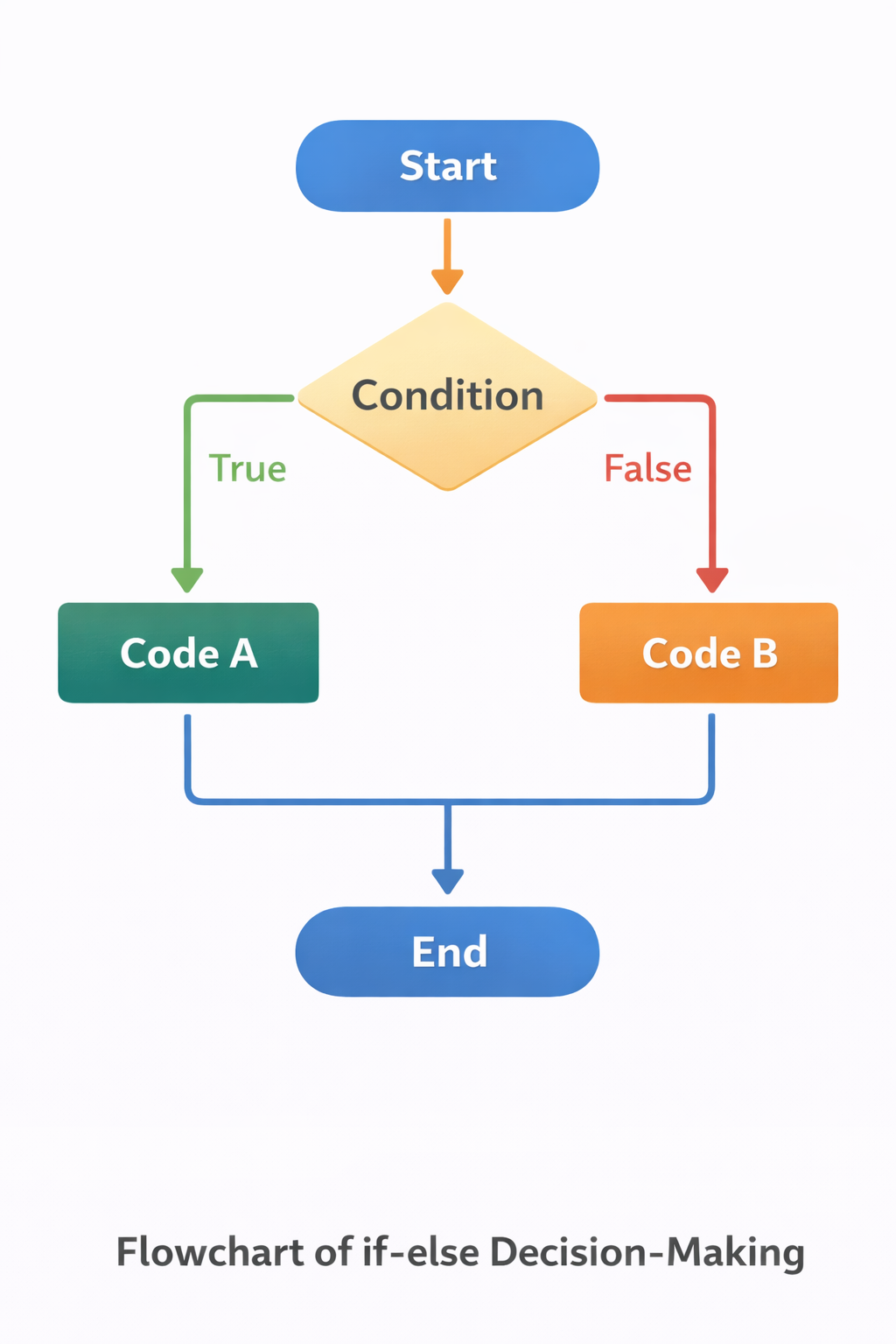
Syntax:
if (condition) {
  // code if true
} else {
  // code if false
}
Example :
let age = 16;

if (age >= 18) {
  console.log("You can vote");
} else {
  console.log("You cannot vote yet");
}

// output : You cannot vote yet
Since the condition does not satisfy so else block statements runs and print to the console.
The else if statement
The else if statements comes into play when we have multiple conditions. For example, A grading system :
90+ --> Grade A
70+ --> Grade B
50+ --> Grade C
Otherwise --> Fail
Syntax
if (condition1) {
   // code
} else if (condition2) {
   // code
} else if (condition3) {
   // code
} else {
   // default code
}
Example :
let marks = 75;

if (marks >= 90) {
  console.log("Grade A");
} else if (marks >= 70) {
  console.log("Grade B");
} else if (marks >= 50) {
  console.log("Grade C");
} else {
  console.log("Fail");
}

// output : Grade B
The program checks the condition from top to bottom and runs the first true condition. If the all the conditions are not met then it will runs the else block.
The switch statement
The switch statement is another way to handle multiple conditions. It is often used when checking one variable against many possible values. It's a good alternative to a series of if.. else if statements when you have a single conditions that can lead to several possible outcomes.
Syntax
switch(expression) {
  case value1:
    // code to be executed if expression equals value1
    break;
  case value2:
    // code to be executed if expression equals value2
    break;
  ...
  default:
    // code to be executed if expression doesn't match any cases
}
Example
let day = "Monday";

switch (day) {
  case "Monday":
    console.log("Start of the week");
    break;

  case "Friday":
    console.log("Almost weekend");
    break;

  case "Sunday":
    console.log("Holiday");
    break;

  default:
    console.log("Regular day");
}

// output : Start of the week
The break statements stops the program from checking further cases.
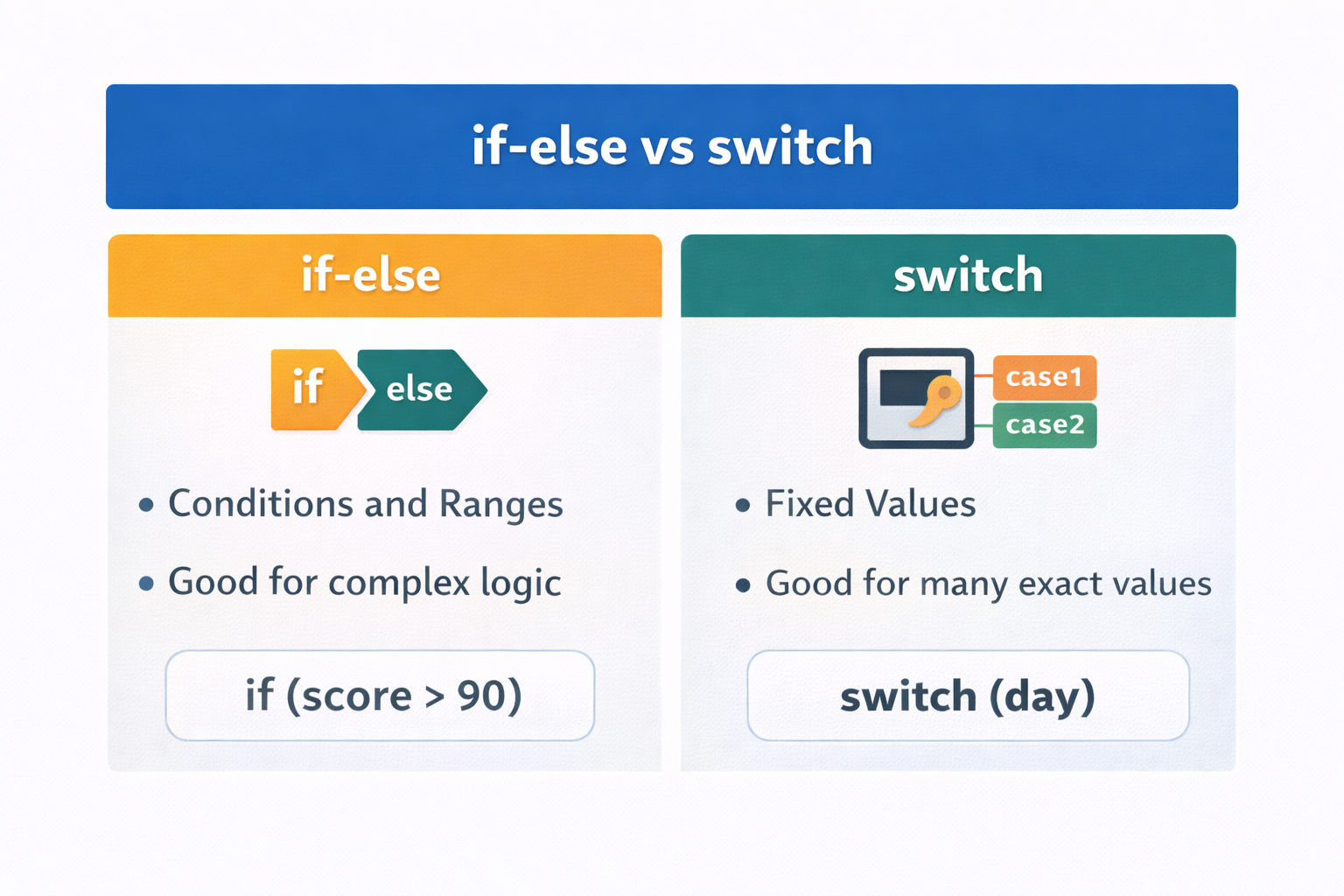
When to use switch vs if-else
Both can solve similar problems, but they are used in different conditions.
Use if-else when :
You are checking ranges
Conditions involve comparisons
Example :
if (score > 90)
Use switch when :
You are checking one variable
Comparing against specific values
Example :
switch(day)
Comparison if-else vs switch
Wrapping Up 📌
Thanks for reading till the end 🙌
I hope this article helped you understand the topic in a simple, practical, and beginner-friendly way.
My goal is to break down complex tech concepts into clear, real-world explanations, especially for learners who are just starting out or feeling overwhelmed.
If you found this useful, feel free to bookmark, share, or leave a comment - it really helps and keeps me motivated to write more.
You can connect with me here:
💼 LinkedIn
Let’s learn together and grow step by step 🚀


