Error Handling in JavaScript: Try, Catch, Finally
Beyond the Crash: A Practical Guide to Mastering try, catch, finally, and Custom Errors in JavaScript
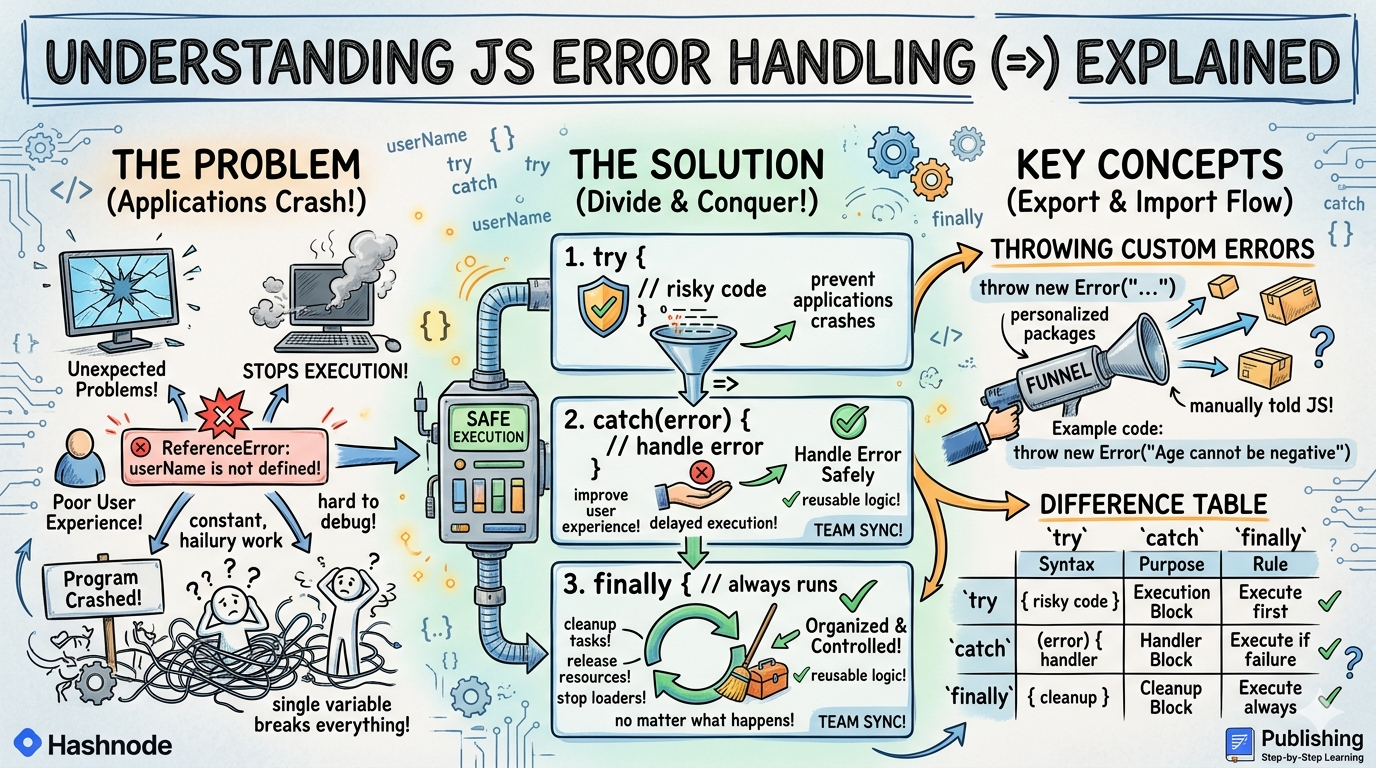
If you have write code any time , this topic seems familiar to you. While writing JavaScript applications, errors are completely normal. Even experienced developers face errors daily while working on APIs, databases, user inputs, UI and etc. The most important thing not avoiding all errors.
The important thing is Handling errors properly. JavaScript provides powerful error handling features like try, catch , finally and throw that help applications behave safely even when something goes wrong.
What errors are in JavaScript
Errors are code that create unexpected problems that stops code execution. Let's take an example , console.log(username) , can you guess the output, output : ReferenceError: userName is not defined because username is not defined here or does not exist. JavaScript throws an error.
Why Errors Happen
Errors can happen because of many reasons like wrong variable names, invalid syntax, API failures, user mistakes, network problems, incorrect calculations and many more can cause errors. Errors are part of real -world programming.
What happens without Error handling
Without proper Error handling the program gets crashed immediately and never executes. This can break applications due to single variables or a undefined it can break an applications badly. That is why error handling matters.
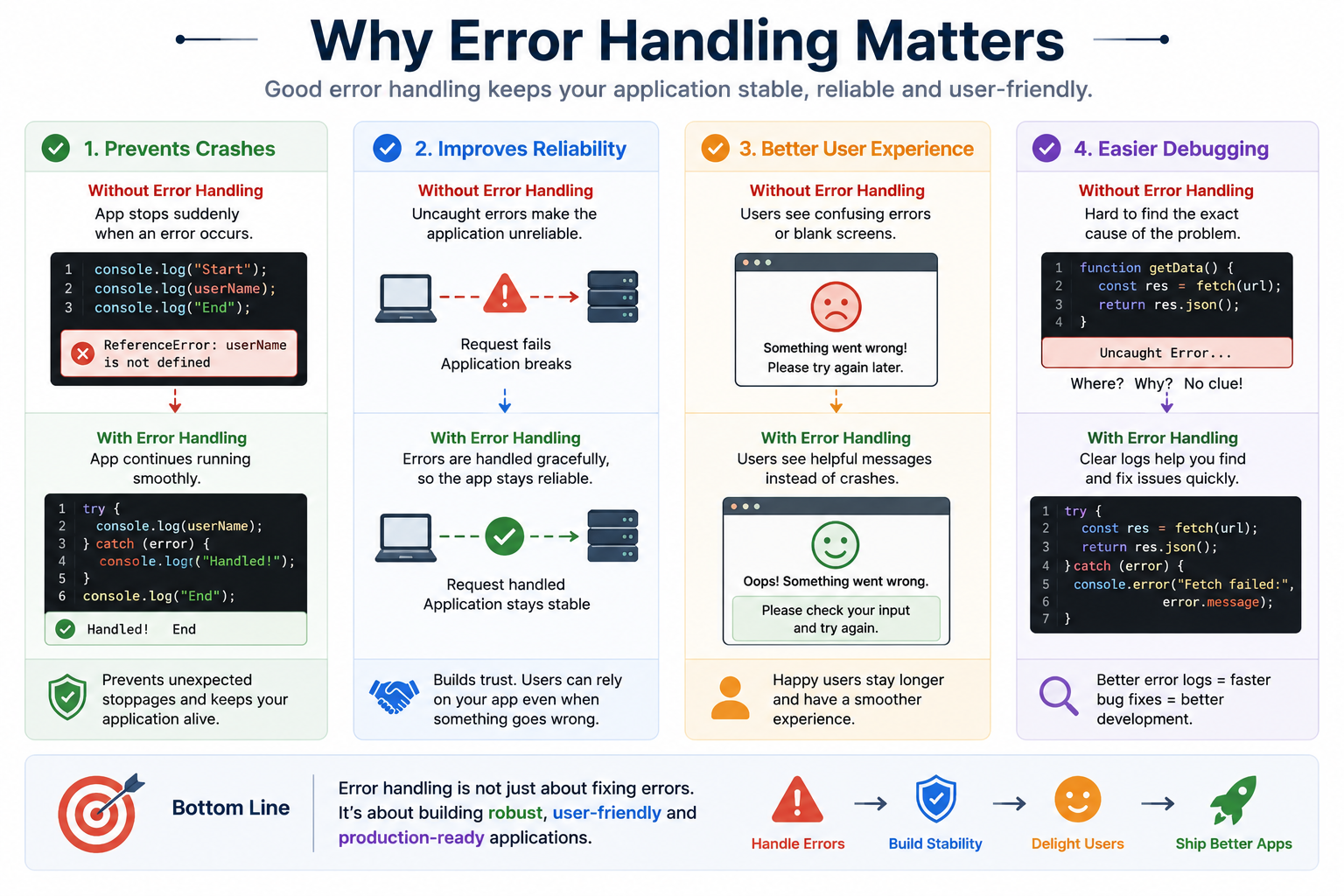
Why Error Handling Matters
Good developer always handle error that helps them to :
prevent applications crashes
improve user experience
debug problems easily
make applications reliable
handle unexpected situations safely
Using try and catch blocks
JavaScript provides error handling techniques know as try-catch blocks for handling errors safely. Basic syntax are :
try {
  // risky code , that can crash the program
} catch (error) {
  // handle error
}
Let's implement this through an example :
try {
  console.log(userName);
} catch (error) {
  console.log("Something went wrong");
}
output :
Something went wrong
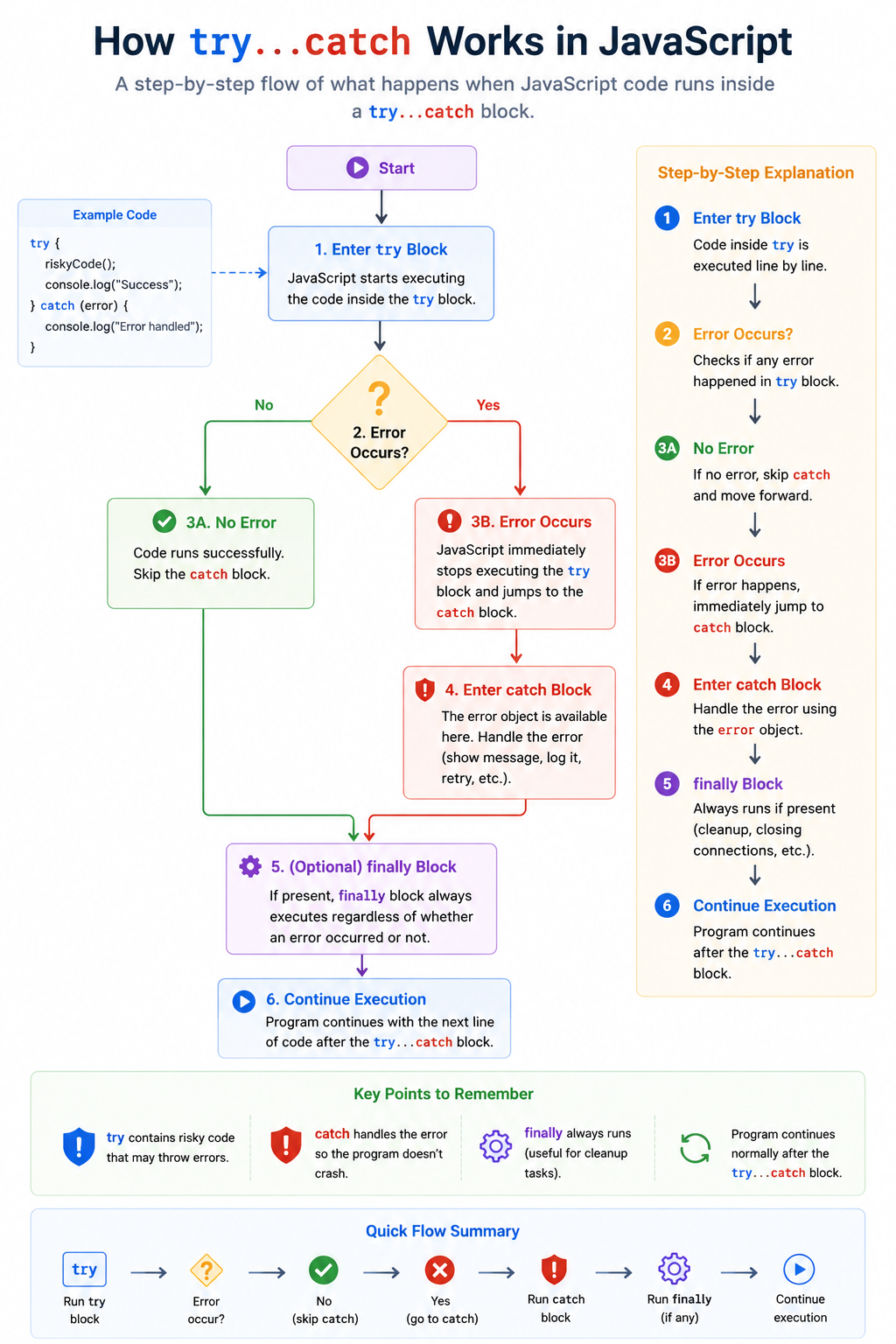
Here, one thing to notice is that the program does not stop execution , instead of crashing , the error gets handled with well manner.
Understanding the flow
The finally block
JavaScript also provides finally with try-catch block. The finally always runs whether error happens or no error took place , but this code always run and gets execute. The Syntax is similar to try-catch :
try {

} catch(error) {

} finally {

}
Take an example :
try {
  console.log("Inside try");
} catch(error) {
  console.log("Inside catch");
} finally {
  console.log("Always runs");
}

// OUTPUT :
// Inside try
// Always runs
Why finally is Useful
Finally is commonly used for :
cleanup tasks
closing database connections
stopping loaders
releasing resources
Because it always execute no matter what gets above this finally block always gets executed.
Throwing custom errors
JavaScript also allows developers to create their own errors using throw . Sometimes JavaScript itself does not know something is wrong. This is classic example if you written code , then you have notice this. JavaScript will not automatically throws error here , we need to manually create it. Basic example of throw :
const age = -5;

if (age < 0) {
  throw new Error("Age cannot be negative");
}
Output:
Error: Age cannot be negative
Here, we manually told JavaScript to throw error with custom message inside curly brackets.
Why error handling matters
Wrapping Up 📍
Thanks for reading till the end 🙌
I hope this article helped you understand the topic in a simple, practical, and beginner-friendly way.
My goal is to break down complex tech concepts into clear, real-world explanations, especially for learners who are just starting out or feeling overwhelmed.
If you found this useful, feel free to bookmark, share, or leave a comment - it really helps and keeps me motivated to write more.
You can connect with me here:
💼 LinkedIn
Let’s learn together and grow step by step 🚀


