How DNS Resolution Works
Mastering Name Resolution: A Deep Dive into DNS Hierarchy and the dig Command.
What is DNS
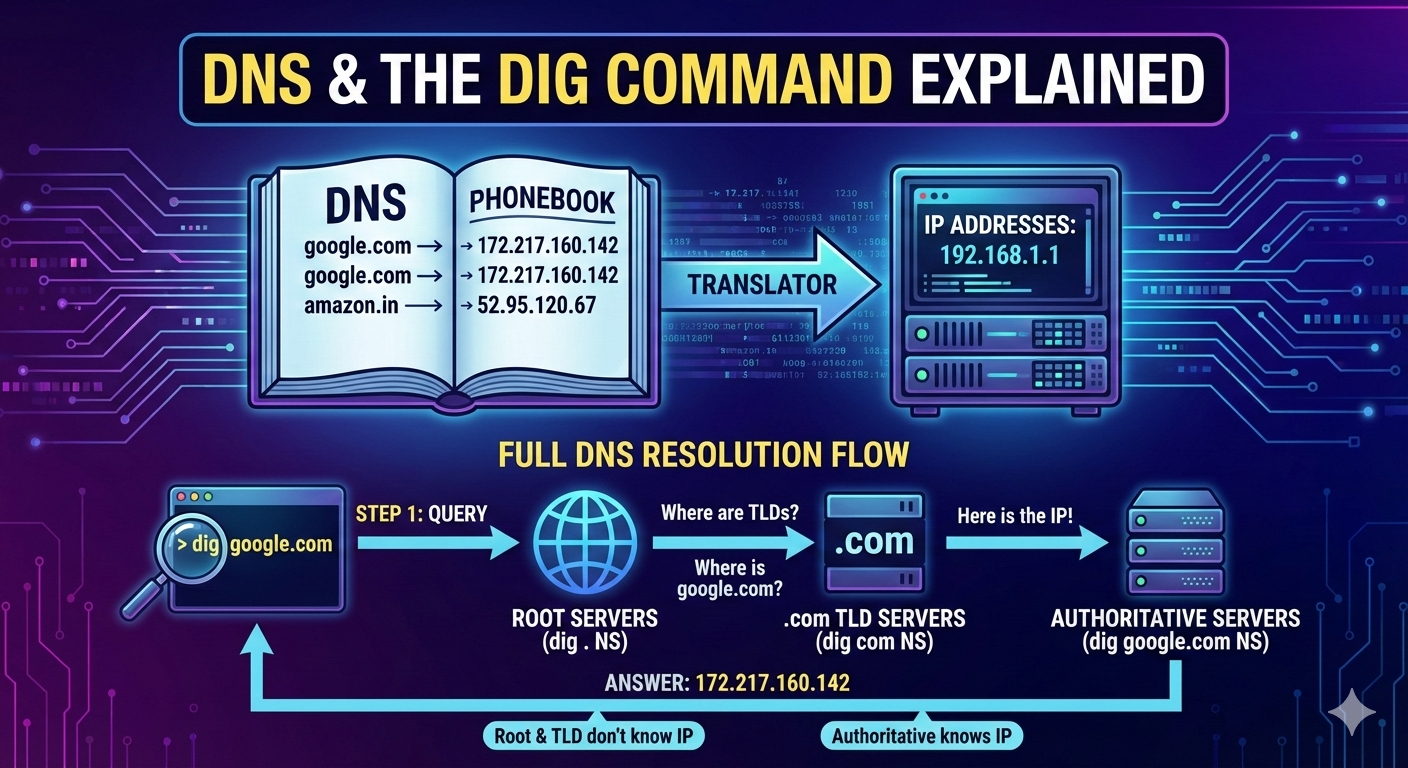
DNS stand for Domain Name System. DNS is like a phonebook of the Internet. Human being remember or understand names like google.com , amazon.in, jio.com, etc. But Computers can’t recognize the humans name they need technical terms , here comes into the picture IP addresses. Computers understand only numbers (IP addresses) like 192.168.1.1 . So DNS converts human language to computer language we can say that Domain Name to IP address. This converting process is known as name resolution.
Why name resolution exists?
Name Resolution exists because of few things :
For Human being IP address of different website are hard to remember , so DNS solve this error by converting domain to IP. Solves both humans and computers problems.
Computers need IP address to communicate with other computers.
So , we can say that DNS is a translator between Humans and machines .
What is the dig command and when it is used
The dig command , stands for domain information groper. This command is powerful network took for querying domain name system servers or DNS servers. It helps diagnose and resolve DNS-related problems, essential for maintaining network stability and performance.
dig command is used :
To check if a Domain Name System(DNS) is resolving correctly or not.
To check or watch which DNS server is sending response.
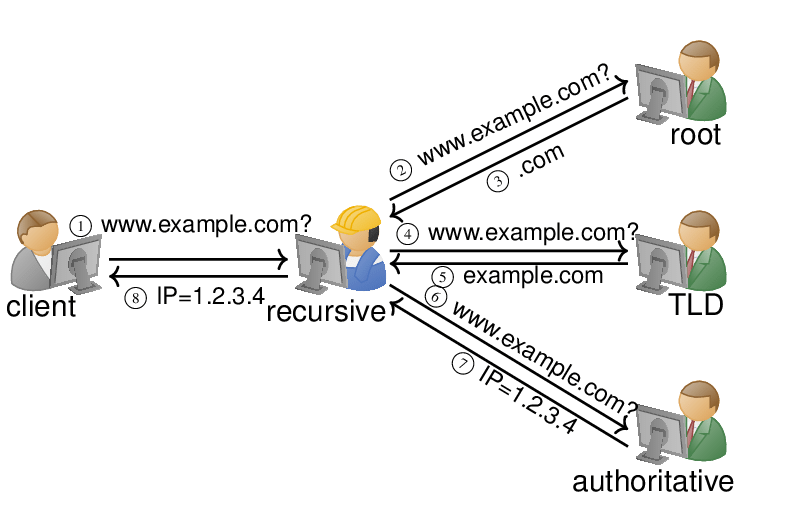
To understand the DNS flow (root server —> TLD server —> Authoritative servers)
for e.g. :
dig google.com
It’s like what the IP address of google.com
Understanding dig . NS and root name servers
dig . NS
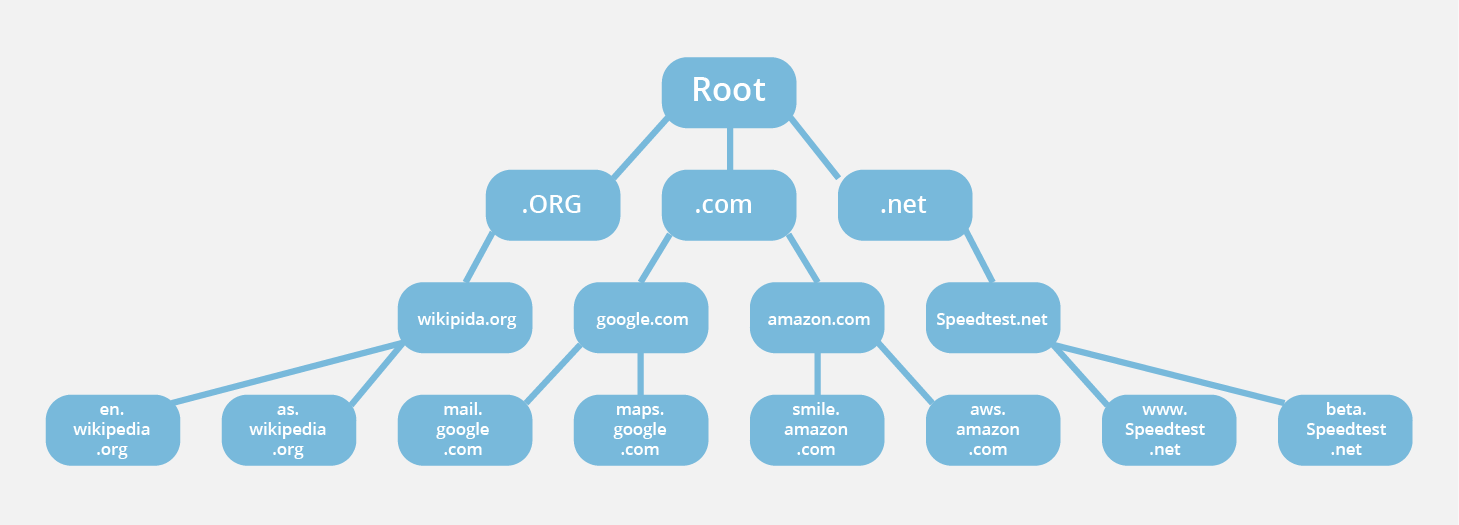
This command represents the DNS root zone . Simply we can say that who are the name servers for the root of the DNS system. These servers don’t know IP addresses of websites. These servers only knew where the TLD servers are . Root servers are the starting point of DNS resolution.
Understanding dig com Ns and TLD name servers
dig com NS
Here this commands says that which name servers manage the .com TLD. Then here comes the root servers with response with a list of .com TLD name servers. TLD servers don’t know the IP addresses but they know which authoritative servers manage each domain under .com
Understanding dig google.com NS and authoritative name servers
dig google.com NS
dig google.com NS command send request asking “Which name servers are authoritative for google.com?” Then you receive Google’s authoritative name servers , for e.g ns1.google.com .
Authoritative name servers hold the actual DNS records like :
A (IP addresses)
MX (mail)
TXT
NS
NOTE : Root servers don’t know the IP address of website, same as TLD servers but Authoritative Servers knew the IP addresses of website.
Understanding dig google.com and the full DNS resolution flows
dig google.com
When you run the command dig google.com, you are asking your system to find the IP address of the website google.com using the DNS system.
First, your computer sends this request to a recursive DNS resolver (ISP). If the resolver already has the answer saved in its cache memory, it immediately return the IP addresses. If not, it starts the full DNS resolution process. The resolver first contacts a root name server, which does not know Google’s IP address but tells the resolver which servers handle the .com domain.
Next, the resolver contacts a .com TLD name server, which again does not know the IP address but tells the resolver which authoritative name servers are responsible for google.com. After that, the resolver then sends this IP back to you computer and stores it in its cache for some time so future requests are faster.
In simple terms, dig google.com show how DNS walks step by step from the top of the internet (root) down to the exact server that knows the answer and then returns that answer to you.