JavaScript Operators: The Basics You Need to Know
The Math and Logic of Code: A Beginner’s Guide to Mastering JavaScript Operators
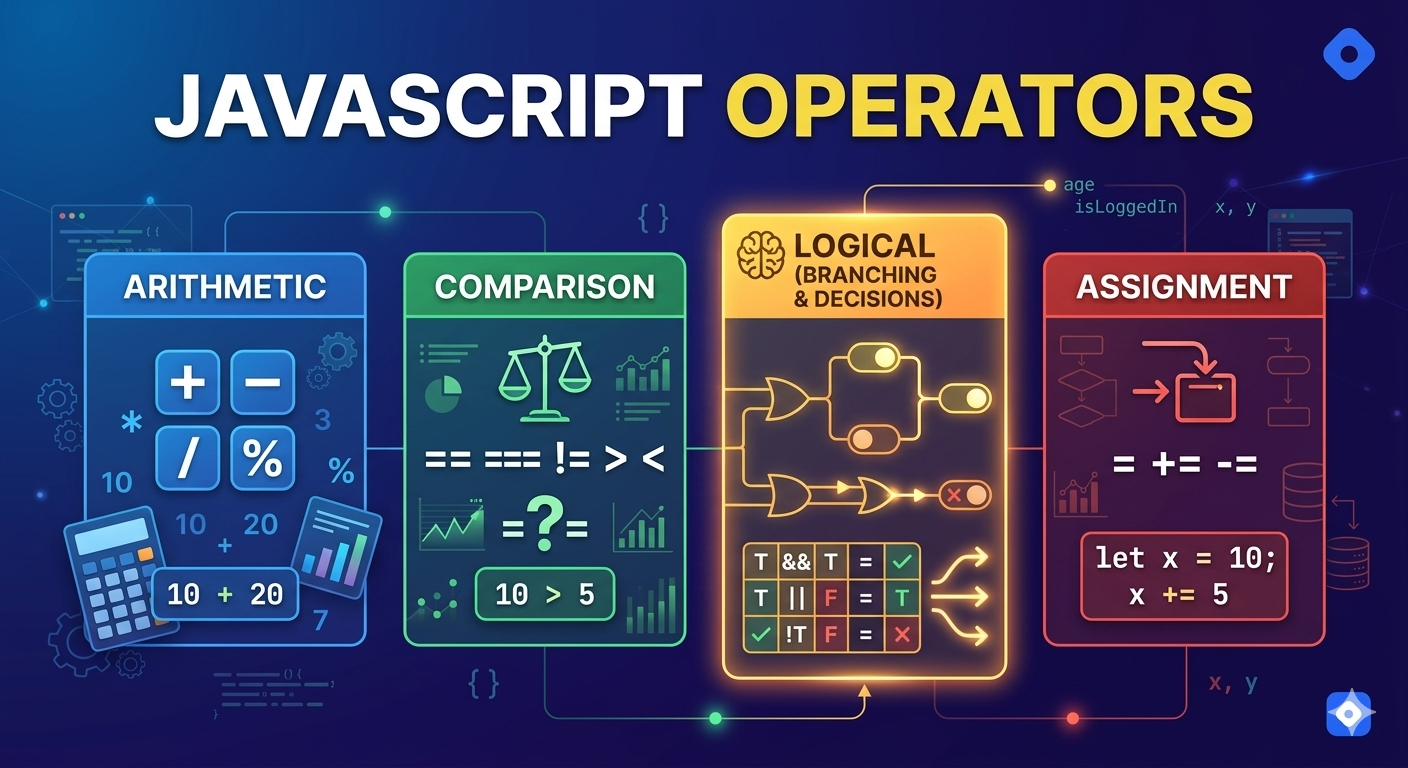
What are operators
When we write a programs in JavaScript, we often need to perform calculations, compare values or make decisions. This is where operators come into play. Operators are the building blocks of JavaScript expressions and can manipulate data in various ways.
JavaScript provides many types of operators, but in this article we will focus on the most commonly used ones :
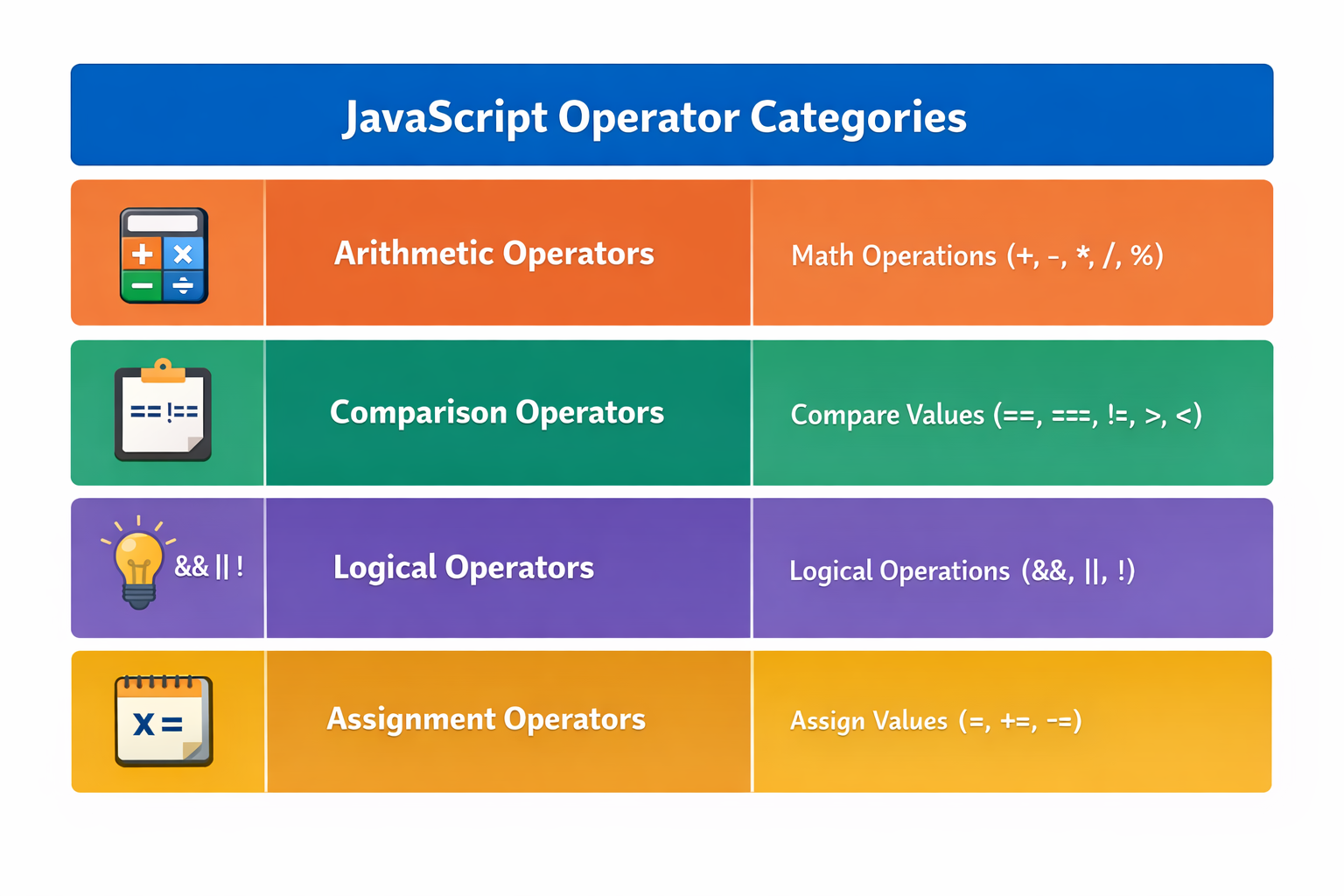
Arithmetic operators ( +, - , * )
Arithmetic Operators are used to perform mathematical calculations like addition, subtraction, multiplication, etc.
Addition ( + )
let a=10;
let b=20;

console.log(a + b);
Subtraction ( - )
let a=10;
let b=20;

console.log(a - b);
Multiplication ( * )
let a=10;
let b=20;

console.log(a * b);
Division ( / )
let a=10;
let b=20;

console.log(a / b);
Modulus ( % )
The modulus operator returns the remainder after division.
let a=10;
let b=3;

console.log(a % b);    // output : 1
Why output is 1 ?
Because 10 % 3 = 3 remainder 1
Comparison operators
Comparison operators are used to compare two values. This operators returns true or false.
Equal To ( == )
This checks if values are equal after type conversion.
console.log(5 == "5"); //output: true
JavaScript converts "5" ( string) into 5 (number).
Strict Equal To ( === )
This checks values and type both.
console.log(5 == "5"); //output: false
Not Equal ( != )
console.log(5 != 3); //output: true
Greater Than ( > )
console.log(10 > 6); //output: true
Less Than ( < )
console.log(10 < 16); //output: true
Logical operators
Logical operators are mainly used to perform the logical operations that determine the equality or difference between the values. This operators are used when working with conditions.
AND (&&)
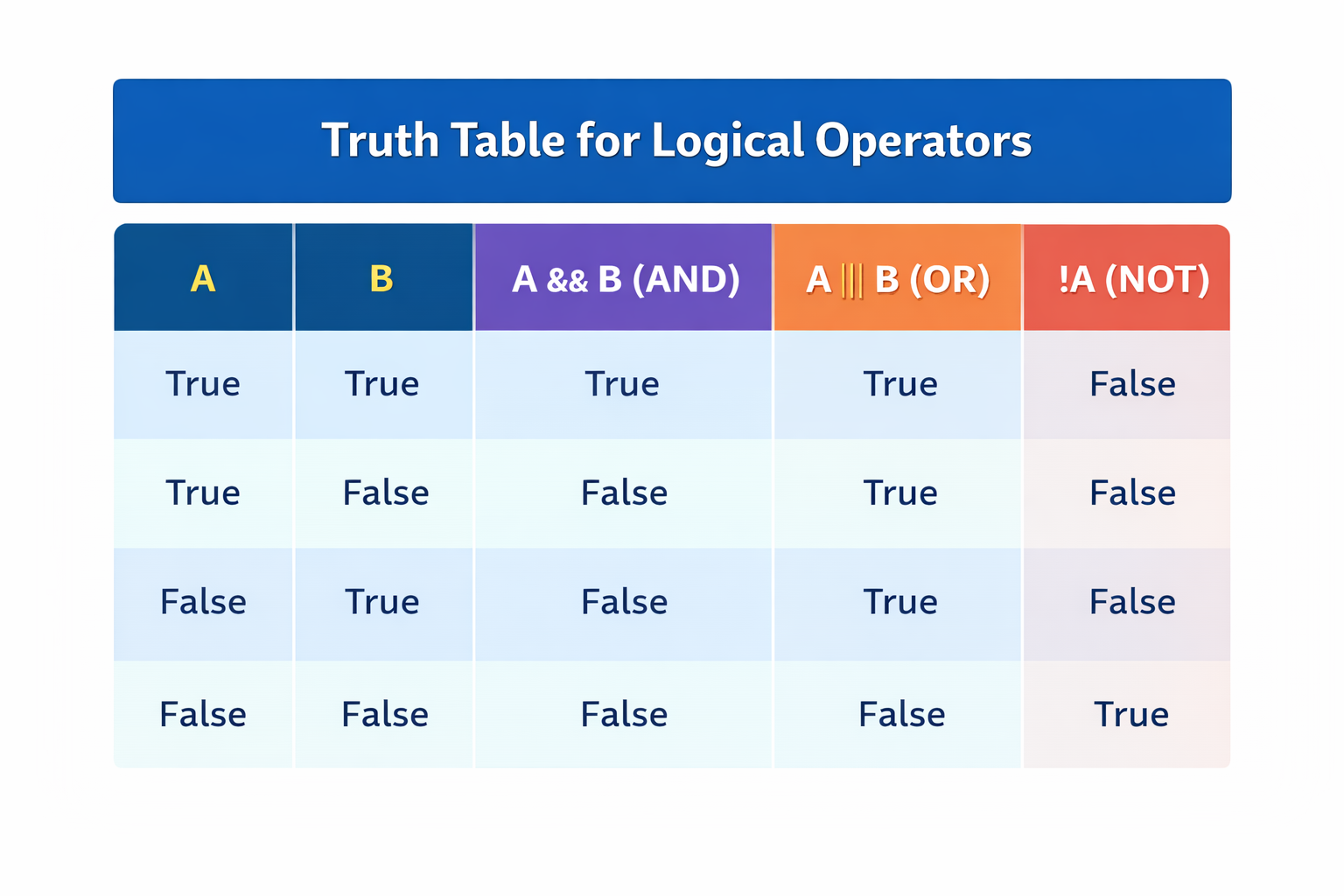
AND logical operators returns true only if both conditions are true.
let age = 20;

console.log(age > 18 && age < 30); //output: true
OR (||)
OR Logical operators returns true if at least one condition is true.
let age = 20;

console.log(age > 18 || age < 30); //output: true
NOT (!)
NOT logical operators returns the reverses of boolean value.
let isLoggedIn = false;

console.log(!isLoggedIn); //output: true
Truth Table for Logical Operators
Assignment operators
Assignment operators are the sign values to variables.
Basic Assignment ( = )
let x = 10;
This line of code assign 10 to variables x .
Add and Assign (+=)
let x=10;

x+=10;

console.log(x)  // output : 20
This is same as writing x=x+10;
Subtract and Assign (-=)
let x=20;

x-=10;

console.log(x) //output: 10
This is same as writing as x=x-10;
📌 Wrapping Up
Thanks for reading till the end 🙌
I hope this article helped you understand the topic in a simple, practical, and beginner-friendly way.
My goal is to break down complex tech concepts into clear, real-world explanations, especially for learners who are just starting out or feeling overwhelmed.
If you found this useful, feel free to bookmark, share, or leave a comment - it really helps and keeps me motivated to write more.
You can connect with me here:
💼 LinkedIn
Let’s learn together and grow step by step 🚀


