JavaScript Promises Explained for Beginners
Escaping Callback Hell: A Complete Beginner’s Guide to Mastering JavaScript Promises and Async Chaining
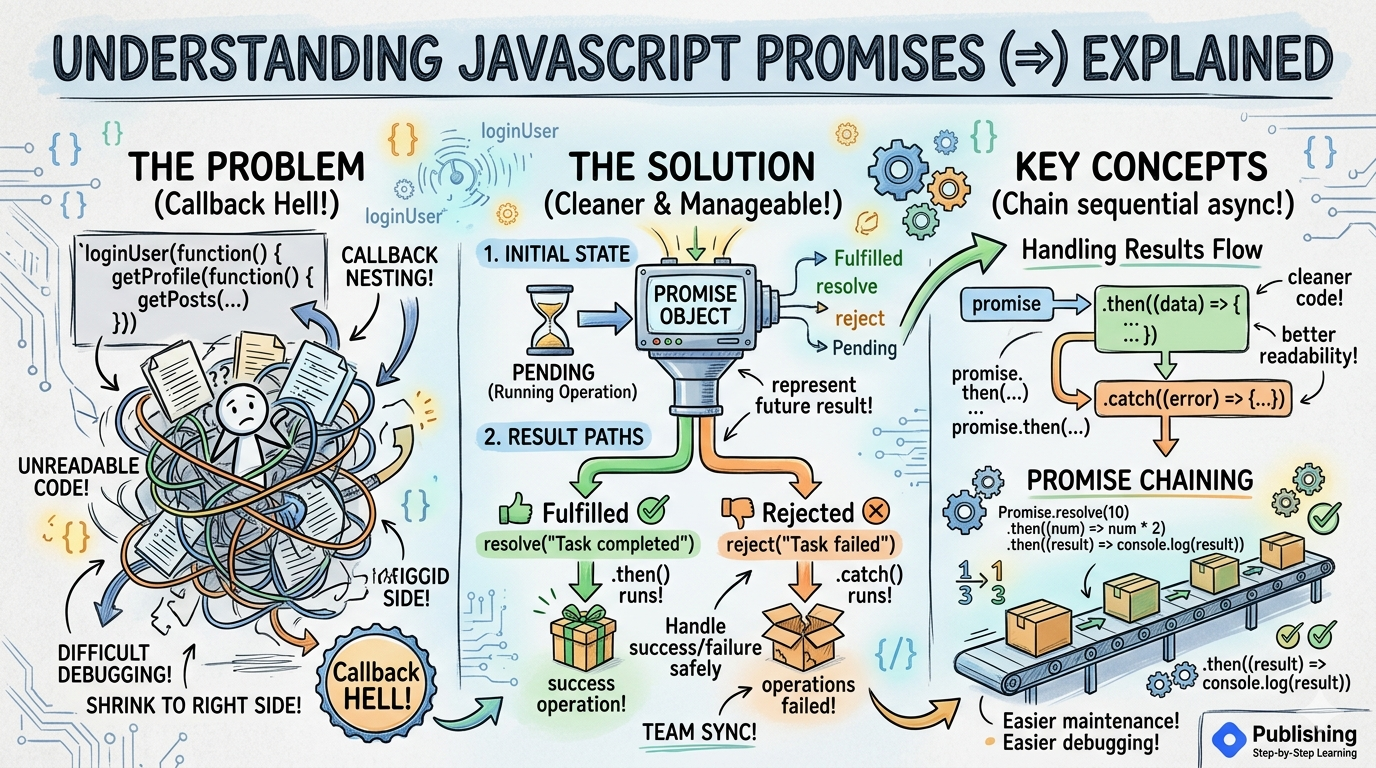
Promises are one of the most important concepts in modern JavaScript. If you are learning API, async programming, React, Node.js, async/await then understanding promises is extremely important. Before promises existed, developers mainly used callbacks. But large callback-based code created problems like :
callback nesting
unreadable code
difficult debugging
To solve these problems, JavaScript introduced Promises.
What problem promises solve
Let's directly jump onto code so we get a better understanding .
loginUser(function () {

  getProfile(function () {

    getPosts(function () {

      console.log("Done");

    });

  });

});
This is asynchronous code often looked like this. This is difficult to read, debug and maintain. This problem is called Callback HELL. Code keeps moving toward the right side with deeply nested callbacks. Promises solve this problem by making asynchronous code cleaner and more manageable.
Promise
A promise is an object that represents the future result of an asynchronous operation. Simple meaning that I will provide the result later. That result may be successful or failed , but it will give result later. Basic Syntax:
const promise = new Promise((resolve, reject) => {

});
- resolve :
resolve is used when operation succeeds.
- reject
simple reject is used when operation fails.
Simple Promise Example :
const promise = new Promise((resolve, reject) => {

  const success = true;

  if (success) {
    resolve("Task completed");
  } else {
    reject("Task failed");
  }

});
Promise states (pending,
fulfilled, rejected)
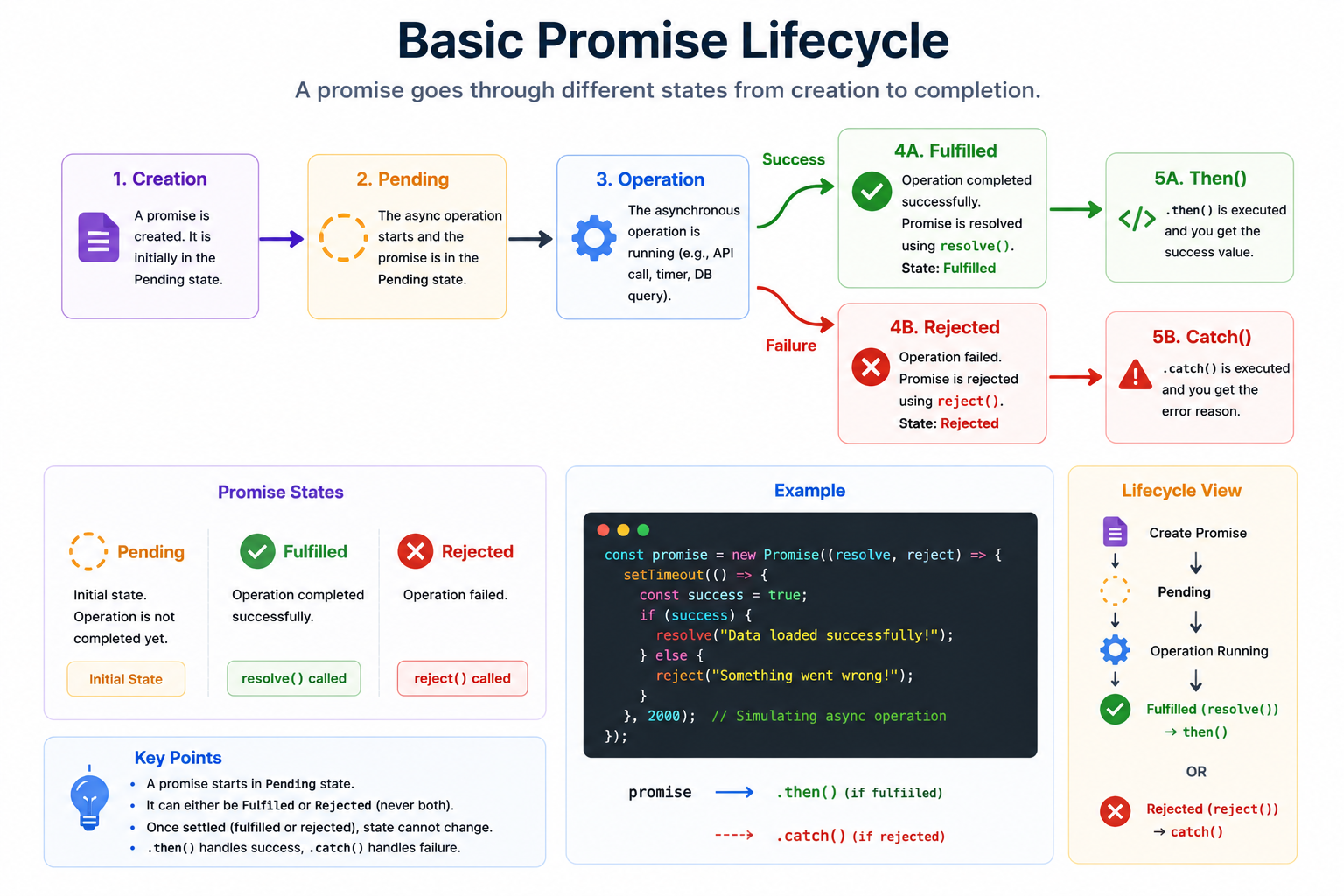
A promise has 3 states :
1. Pending
Pending is the initial state where operation is still running .
2. Fulfilled
Fulfilled is state where operation completed successfully.
3. Rejected
From the name, Rejected means Operations failed.
Basic promise lifecycle
Handling success and failure
To handle success and failure, Promises use .then() to handle successful results. An example will give a better understanding of the code :
const promise = new Promise((resolve) => {

  resolve("Data fetched");

});

promise.then((result) => {
  console.log(result);
});
Output:
Data fetched
Understanding .then()
.then() runs when promises becomes fulfilled or success operation.
Handling Errors using .catch()
Promise use .catch() to handle failures this means rejected. The below example will give a better understanding of the .then or .catch
example :
const promise = new Promise((resolve, reject) => {

  const success = true;

  if(success) {
    resolve("Success");
  } else {
    reject("Failed");
  }

});

promise
  .then((data) => {
    console.log(data);
  })
  .catch((error) => {
    console.log(error);
  });
Promise chaining concept
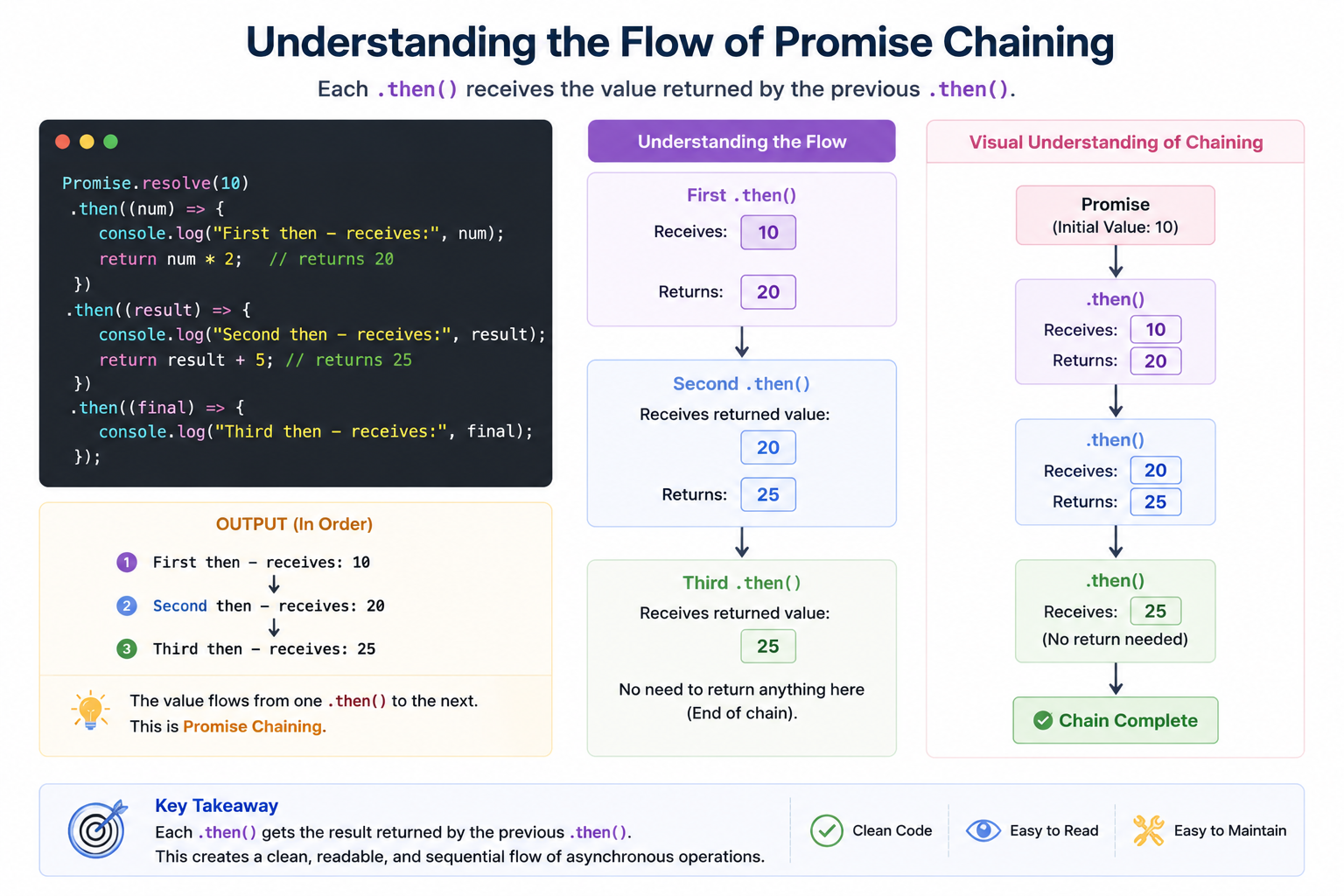
One of the biggest advantages of promises is that Chaining. Instead of nested callbacks, promises allow sequential async operations cleanly. Example of promises chaining:
Promise.resolve(10)

  .then((num) => {
    return num * 2;
  })

  .then((result) => {
    console.log(result);
  });
Understanding the flow
Why Promise Chaining is Better
cleaner code
better readability
easier debugging
easier maintenance
Wrapping Up
Thanks for reading till the end 🙌
I hope this article helped you understand the topic in a simple, practical, and beginner-friendly way.
My goal is to break down complex tech concepts into clear, real-world explanations, especially for learners who are just starting out or feeling overwhelmed.
If you found this useful, feel free to bookmark, share, or leave a comment - it really helps and keeps me motivated to write more.
You can connect with me here:
💼 LinkedIn
Let’s learn together and grow step by step 🚀


