Map and Set in JavaScript
Beyond Objects and Arrays: A Practical Guide to Mastering Maps and Sets in Modern JavaScript

Modern JavaScript provides powerful data structures called Map and Set. These were introduced in ES6 to solve some limitations of traditional Objects and Arrays. If you learning modern JavaScript, React, Node.js then understanding Map and Set is very important.
What Map in JavaScript
A Map is a special data structure used to store KEY-VALUE pairs which is very similar to objects. For example :
const user = new Map();

user.set("name", "Rahul");
user.set("age", 21);

console.log(user);
Understanding the Structure
Key   ->    Value

"name"  -> "Rahul"
"age"    -> 21
This is how Map stores data.
Creating a Map and Adding Values to Map
const map = new Map();
This is the way you can create a new Map .
map.set("city", "Delhi");
This is the way you can set values to a Map.
Getting Values From Map
console.log(map.get("city"));
get() methods gives the values from the Map. This way you can get values from map.
Removing Values
map.delete("city");
Like in object delete is used to remove values , here also delete is used to remove values from Map.
What Set is
A Set is a special data structure used to store Unique values only. Duplicate values are automatically removed. For example :
const numbers = new Set();

numbers.add(1);
numbers.add(2);
numbers.add(2);

console.log(numbers);
Output :
Set(2) {1, 2}
Here, 2 appears only once because Sets do not allow duplicates.
Creating a Set and Adding Values
We can create a set by :
const set = new Set();
After creating a Set , we can add values using .add() methods
set.add("JavaScript");
Checking Values
checking values has to done using has() methods in set.
console.log(set.has("JavaScript"));
Removing Values
To remove values from set delete() is used to remove values from set.
set.delete("JavaScript");
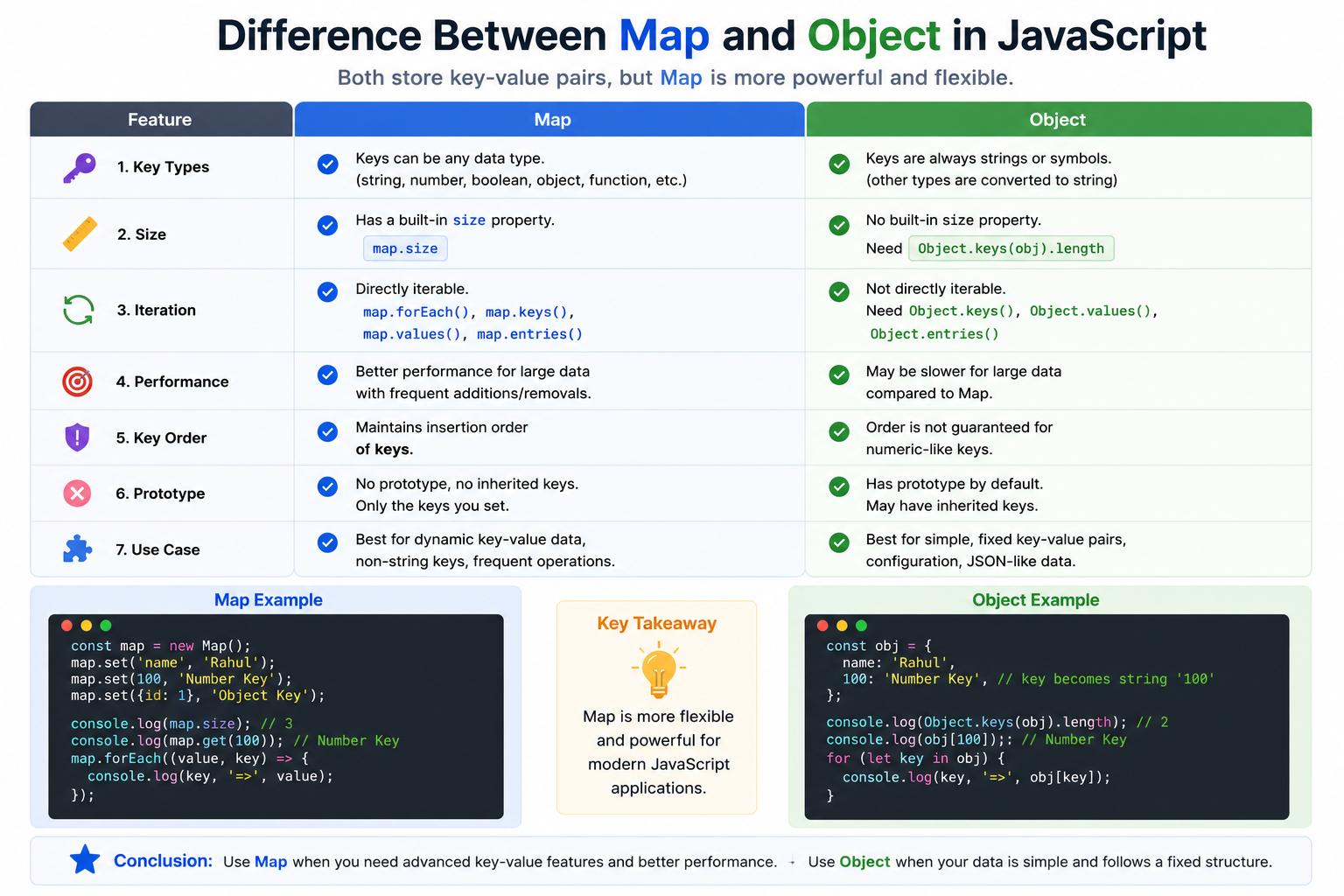
Difference between Map and Object
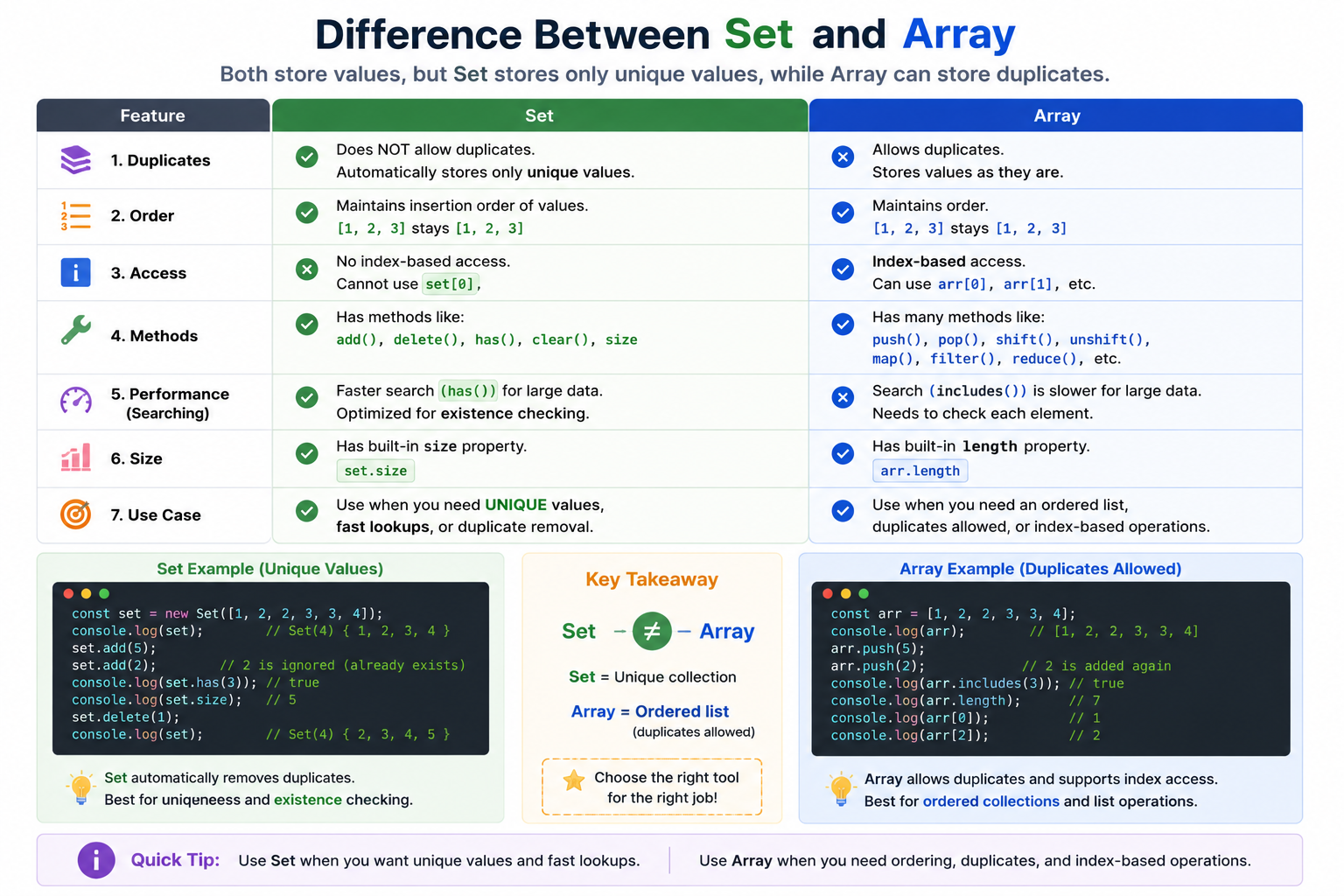
Difference between Set and Array
When to use Map and Set
Use Map when :
key-value stored is needed
keys are dynamic
non-string keys are required
frequent additions/ removals happen
Use set when :
unique values are required
duplicate removal is needed
fast existence checking is needed
Wrapping Up 🚀
Thanks for reading till the end 🙌
I hope this article helped you understand the topic in a simple, practical, and beginner-friendly way.
My goal is to break down complex tech concepts into clear, real-world explanations, especially for learners who are just starting out or feeling overwhelmed.
If you found this useful, feel free to bookmark, share, or leave a comment - it really helps and keeps me motivated to write more.
You can connect with me here:
💼 LinkedIn
Let’s learn together and grow step by step 🚀


