Template Literals in JavaScript
Upgrade Your Workflow: From Messy Concatenation to Clean, Modern JavaScript Strings

Writing strings is one of the most common tasks in JavaScript. Whether you are showing user data, creating messages, building HTML dynamically or displaying API responses - strings are everywhere.
Before ES6, JavaScript developers mostly used single quotes ' ' , double quotes " " and string concatenation using + operators. But managing large or dynamic strings with concatenation was messy and difficult to read. To solve this problem, JavaScript introduced Template Literals.
Problems with traditional string concatenation
Before Template Literals, developers used the + operator to combine strings and variables. For example:
const name = "Rahul";
const role = "Developer";

const message =
  "Hello, my name is " + name + " and I am a " + role;

console.log(message);
OUTPUT:
Hello, my name is Rahul and I am a Developer
This works well for small things but when strings becomes large the code becomes difficult to read, difficult to maintain and messy with + signs. This problem becomes even bigger in React, Node.js and frontend projects where dynamic strings are very common.
Template literal syntax
Template literal are a modern way to create strings in JavaScript. They were introduced in ES6 (ECMA Script 2015). Instead of single quotes or double quotes , template literals use Backticks:
` `
For eg:
const message = `Hello World`;
This looks similar to normal strings but template literals provide many powerful features that we will discuss later.
String Interpolation in JavaScript
Embedding variables in strings
One of the best features of template literals is
Variable Interpolation
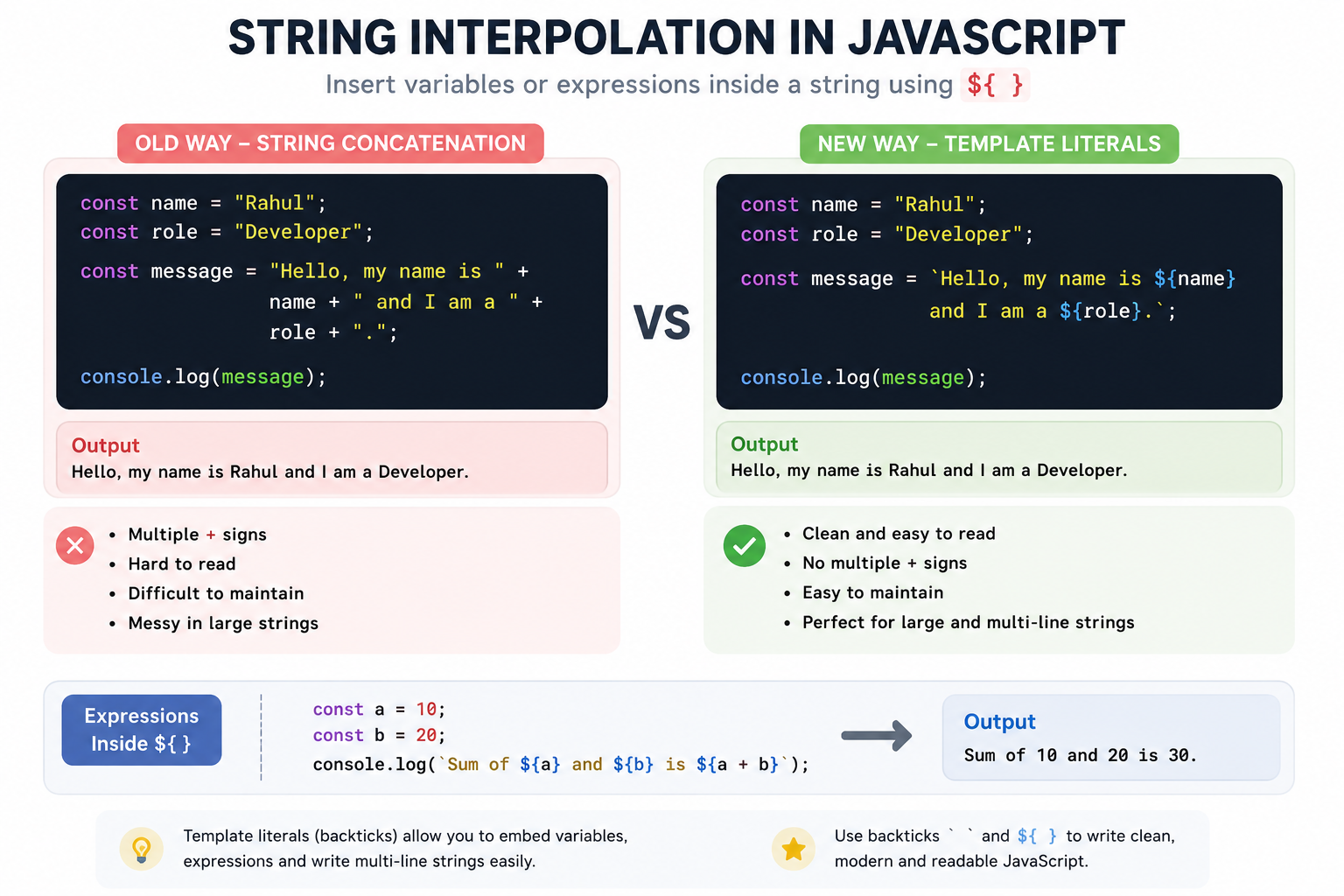
It means that instead of using + signs everywhere, we can directly insert variables inside strings using ${...} (dollar sign with curly brackets). Let's understand by an example:
const name = "Rahul";
const role = "Developer";

const message =
  `Hello, my name is \({name} and I am a \){role}`;

console.log(message);
Output:
Hello, my name is Rahul and I am a Developer
Multi-line strings
Before template literals , writing multi-line strings feels very annoying and mentally exhausting. Developers had to use \n or string concatenation. For eg:
const text =
  "Hello User\n" +
  "Welcome to JavaScript\n" +
  "Learning Strings";
This is fine but writing this piece of code feels annoying.
Multi-line Strings with Template Literals
Template literals make this extremely simple, Let's understand through code :
const text = `
Hello User
Welcome to JavaScript
Learning Strings
`;

console.log(text);
Output:
Hello User
Welcome to JavaScript
Learning Strings
Template literals does not require \n , no messy concatenation. It is very useful when writing HTML elements, email , formatted text and JSX like structures.
Expressions Inside Template Literals
Template literals can also run JavaScript expressions directly in a continuous writing code :
const a = 10;
const b = 20;

console.log(`Sum is ${a + b}`);
Output:
Sum is 30
This is not over , you can even use function calls, calculations and conditions inside ${...}
Use cases in modern JavaScript
Template Literals are heavily used in modern JavaScript development. Once you familiar with template literals you will also use template literals in daily development.
Real use case in Modern JavaScript
1. Dynamic Messages
const username = "Rahul";

console.log(`Welcome back ${username}`);
2. API Responses
const status = "Success";

console.log(`API Response: ${status}`);
3. HTML Templates
const title = "JavaScript";

const html = `
  <div>
    <h1>${title}</h1>
  </div>
`;
This is very common in Nodejs, React , Express and frontend frameworks.
4. Logging and Debugging
const userId = 101;

console.log(`Current user id is ${userId}`);
5. Building UI strings
const buttonText = `Add to Cart`;
Template literals help keep UI- related strings cleaner and easier to understand and makes developer a good for writing contiguous code in once.
Wrapping Up
Thanks for reading till the end 🙌
I hope this article helped you understand the topic in a simple, practical, and beginner-friendly way.
My goal is to break down complex tech concepts into clear, real-world explanations, especially for learners who are just starting out or feeling overwhelmed.
If you found this useful, feel free to bookmark, share, or leave a comment - it really helps and keeps me motivated to write more.
You can connect with me here:
💼 LinkedIn
Let’s learn together and grow step by step 🚀


