Understanding Variables and Data Types in JavaScript
The Foundation of Your Code: A Practical Beginner’s Guide to Variables and Data Types in JavaScript
Introduction
When you learning any programming language , the first thing you counter is what is variables. Variables allow us to store and use information inside a program.
In this article, we will learn:
what variables are and why we need them
How to declare variables using var, let, and const
Primitive data types in JavaScript
The basic difference between var, let, and const
What scope means in a beginner-friendly way
What variables and why they are needed
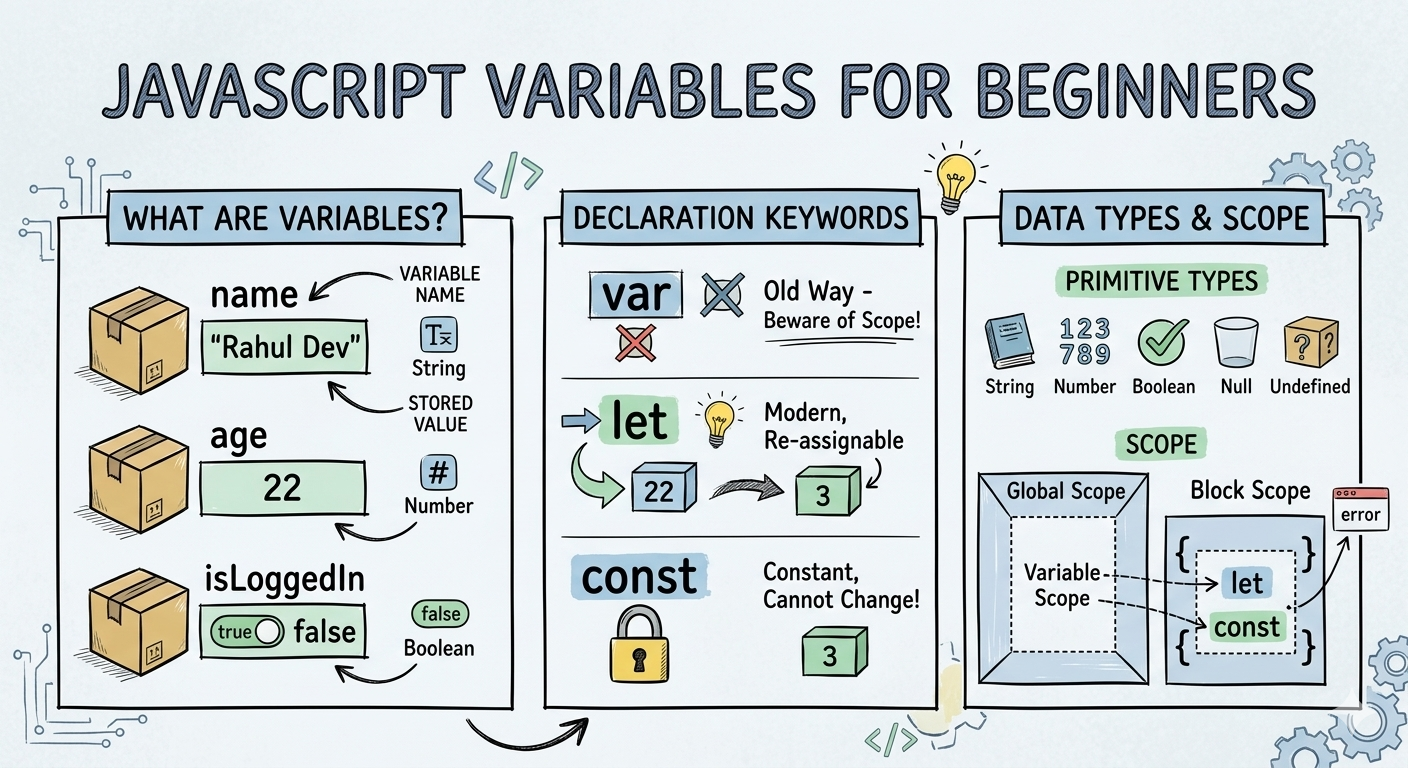
Think of variables like a Box 📦
You can put something inside that box - for example name, age, address. The box has a label and that label is the variable name. For example :
let name = " Rahul Dev "
Here :
nameis the box label (variable)"Rahul Dev"is the value stored inside the box
Why Do we need variables?
A system or better Programs often need to store information. For example , a username, a person's age or whether a user is logged in. Without variables, storing and using a data in programs would be very difficult.
For example :
let name = "Rahul Dev";
let age = 22 ;
let isLoggedIn = false ;

console.log(name);  //output : Rahul Dev
console.log(age);  // output : 22
console.log(isLoggedIn);   //output : false
How to declare variables using var , let and const
Creating a variable in JavaScript is called declaring a variable. You declare a JavaScript variable with the var (not recommended) , let and const keyword.
Declare variables using var
var is the older way to declare variables in JavaScript. The var keyword was used in all JavaScript code before 2015. The let and const keywords are used now.
Example :
var city = "Delhi"

console.log(city) //output : Delhi
You can change the value later.
var city = "Delhi"
city= "Mumbai"

console.log(city) //output : Mumbai
Declare variables using let
let missileName;
After the declaring a variable, the variable has no value ( technically it is undefined). To assign a value to the variable , use the equal sign. let is the modern and commonly used to way to declare variables. You can change the value later.
missileName= "Brahmos";
Often you will assign a value to variable when you declare a variable.
Declare variables using const
const means constant, which means the value cannot be changed after assignment.
Example:
const missileName= "Agni"

console.log(missileName); //output : Agni
If you try to change the value, JavaScript will throw error. This is useful for the values that should never change.
Primitive data types (string, number, boolean, null, undefined)
JavaScript can hold 7 primitive data in variables. The most common used ones are :
String
String represent text. The values that are written under the double or single quotes are the string datatypes.
Examples:
let SAM= "Akash-teer";

let long-SAM="S-400";
Number
Numbers are written quotes and they represent the numeric values.
Example :
let age = 22;

let score = 255;

let price = 999;
Boolean
Boolean values represent true or false. These are commonly used in conditions.
Example :
let isStudent = true;

let isLoggedIn = false;
Null
null represents an empty value. This means that value for the variable is not known now, but later will assign it, currently has no value.
Example :
let result = null;
Undefined
undefined means a variable is declared but not assigned a value yet.
Example :
let score ;

console.log(score); //output: undefined
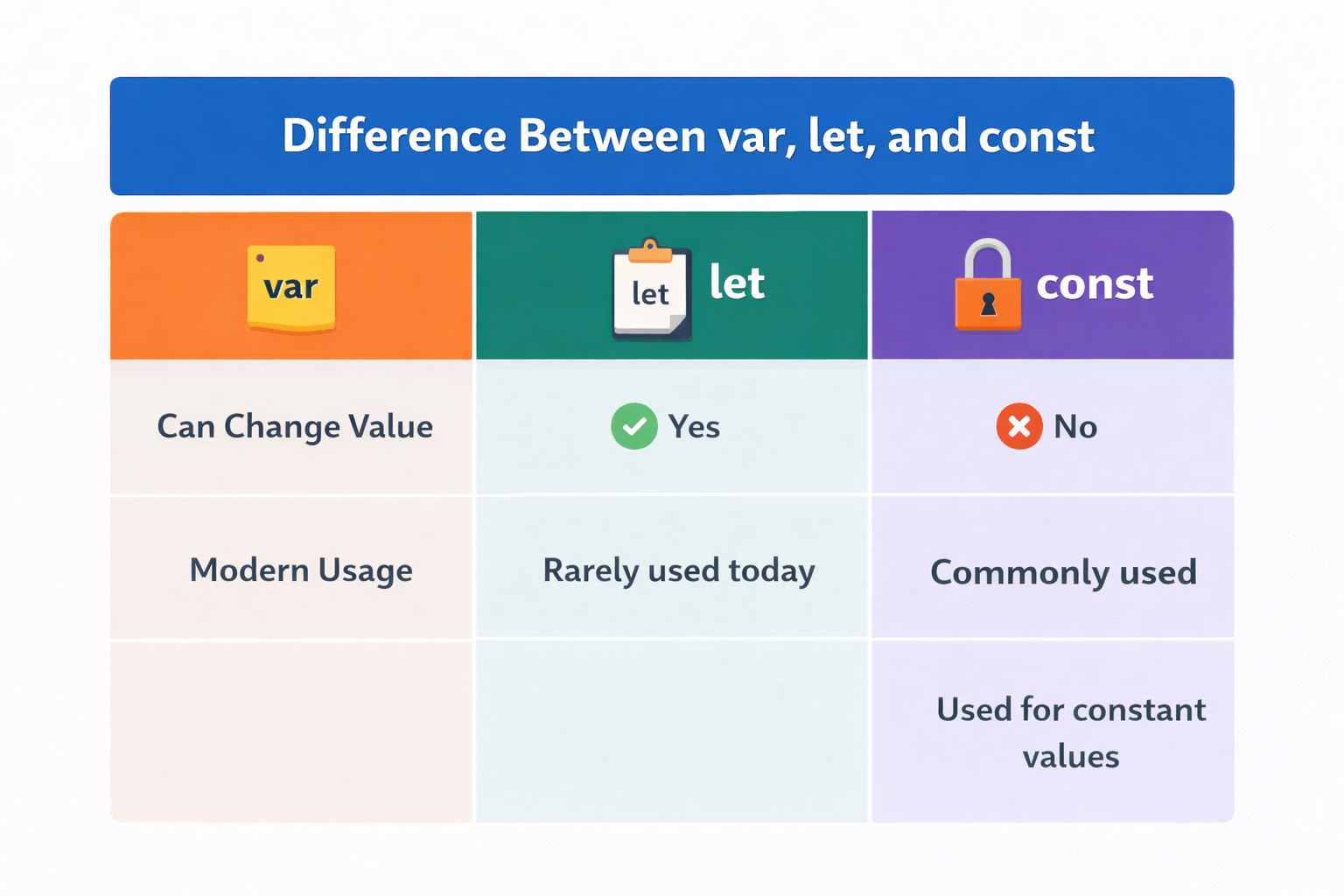
Basic difference between var, let and const
What is scope ?
Scope means where a variable can be used in the code. Think of it like a room. If a variable is created inside a room, it can usually only be used inside that room.
Example :
{
    let message = " Hello ";

    console.log(message);
}
This message variable only works inside the block. But using it outside may cause an error. Scope helps keep code organized and safe.
Wrapping Up 📍
Thanks for reading till the end 🙌
I hope this article helped you understand the topic in a simple, practical, and beginner-friendly way.
My goal is to break down complex tech concepts into clear, real-world explanations, especially for learners who are just starting out or feeling overwhelmed.
If you found this useful, feel free to bookmark, share, or leave a comment - it really helps and keeps me motivated to write more.
You can connect with me here:
💼 LinkedIn
Let’s learn together and grow step by step 🚀


